
Service Categories
Service categories help you organize your services into logical groups, making it easier for customers to find and book the right service.
Managing Categories
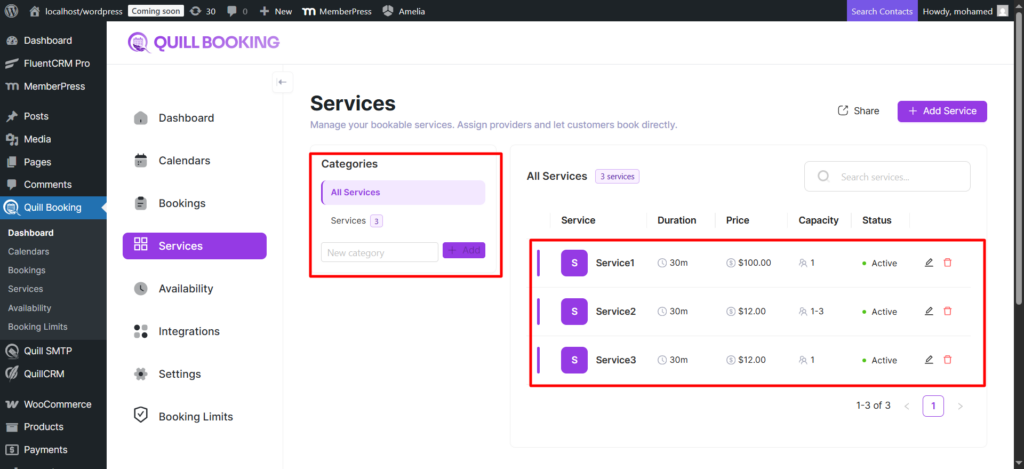
Categories are managed from the left sidebar on the Services page. View all categories with names, images, and service counts; filter by clicking a category; click “All Services” to remove the filter.
Creating a Category
- At the bottom of the sidebar, type the name in the “New category” input.
- Click “Add” or press Enter.
- The category appears immediately.
You can also create categories inline while creating or editing a service.
Editing a Category
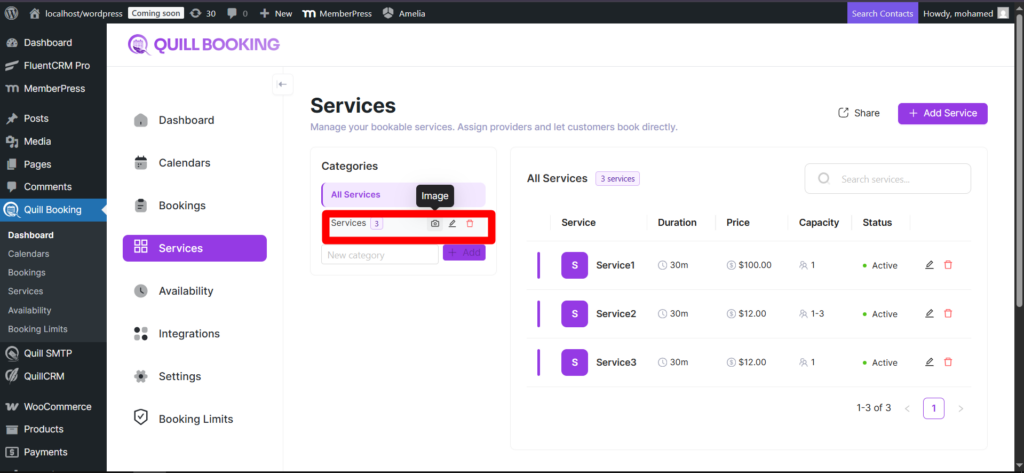
Hover over a category to reveal action icons:
- Camera icon — Upload or change the category picture.
- Edit icon — Edit the name inline.
- Delete icon — Remove the category. Services become uncategorized.
Category Pictures
Each category can have a picture displayed on the public booking page. Hover over the category, click the camera icon, and select an image from the Media Library.
Categories on the Public Booking Page
On the public service selection page, categories group and filter services, making navigation intuitive for businesses with many offerings.