
Service Notifications, Webhooks, and Advanced Settings
Services support the same notification, webhook, and advanced configuration options as events, allowing full customization of the booking experience.
Email Notifications
Configure from the Email Notification tab:
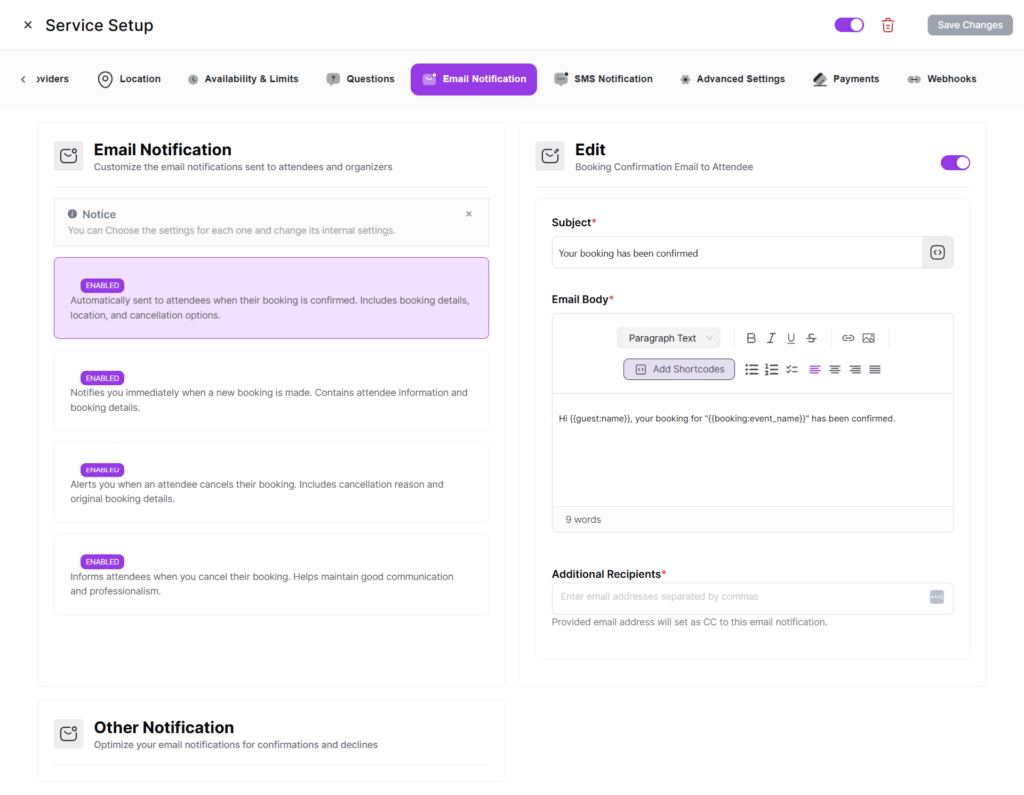
- Booking Confirmation — Sent when a booking is confirmed.
- Booking Cancellation — Sent when cancelled.
- Booking Rescheduled—Sent when the time changes.
- Reminder Notifications — Sent before the appointment.
- Host Notifications — Notify the provider about booking events.
All templates support merge tags for dynamic content — invitee name, service name, date/time, location, and more.
SMS Notifications
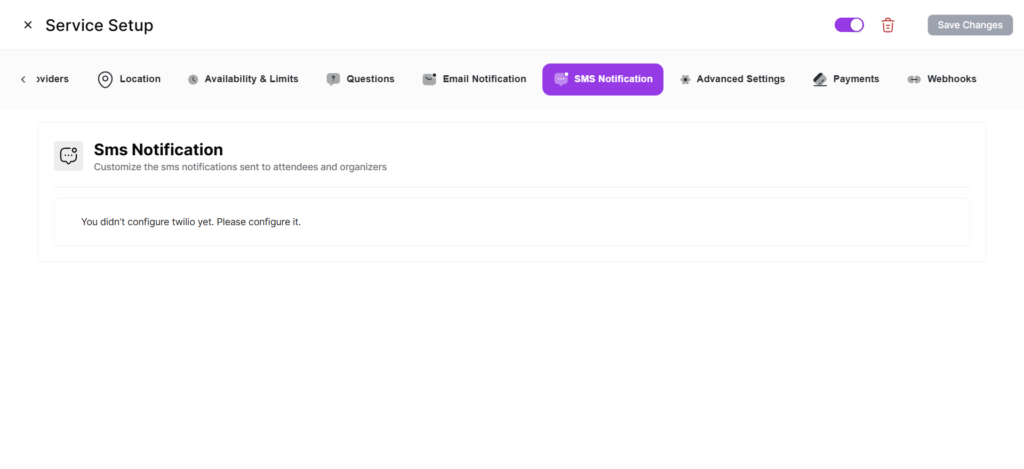
Send SMS via Twilio. Configure in the SMS Notification tab. Requires Twilio integration in Integrations → SMS.
Webhook Feeds
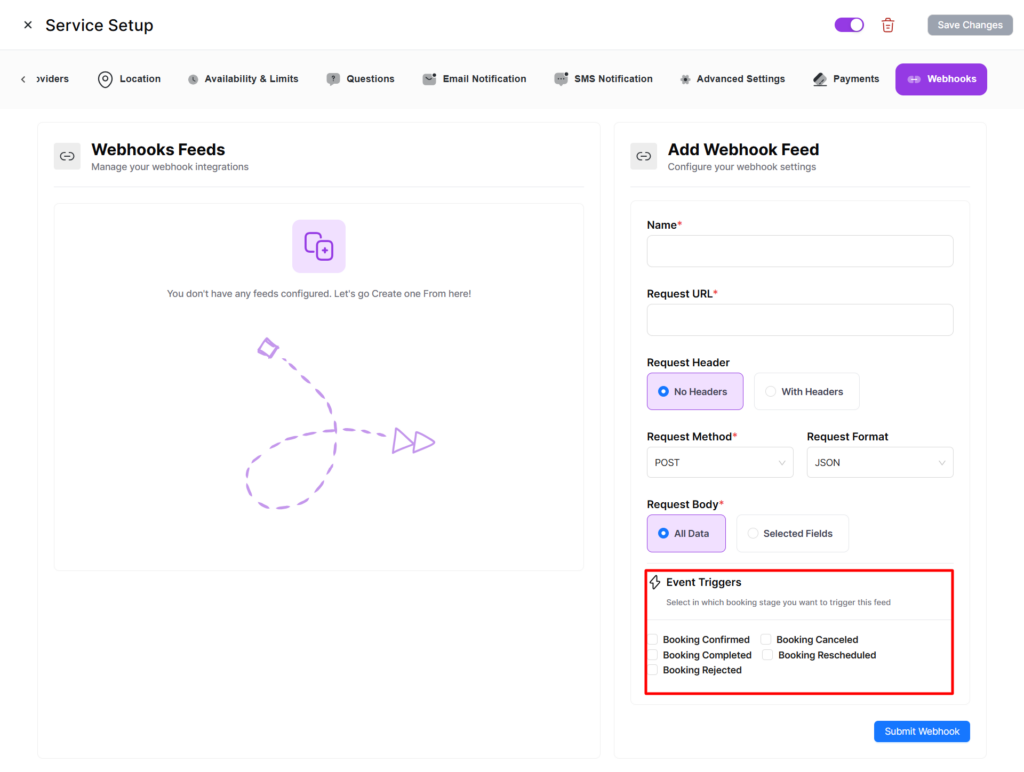
| Trigger | Description |
|---|---|
| Booking Created | Fired when a new booking is created. |
| Booking Rescheduled | Fired when rescheduled. |
| Booking Cancelled | Fired when cancelled. |
| Payment Completed | Fired when payment is processed. |
Configure each webhook with a URL and triggers. Works with Zapier, Make, n8n, or any custom endpoint.
Zapier Integration
Quill Booking has a dedicated Zapier integration configurable in Integrations → Automation. This works with service bookings to trigger Zaps with structured booking data.
Advanced Settings
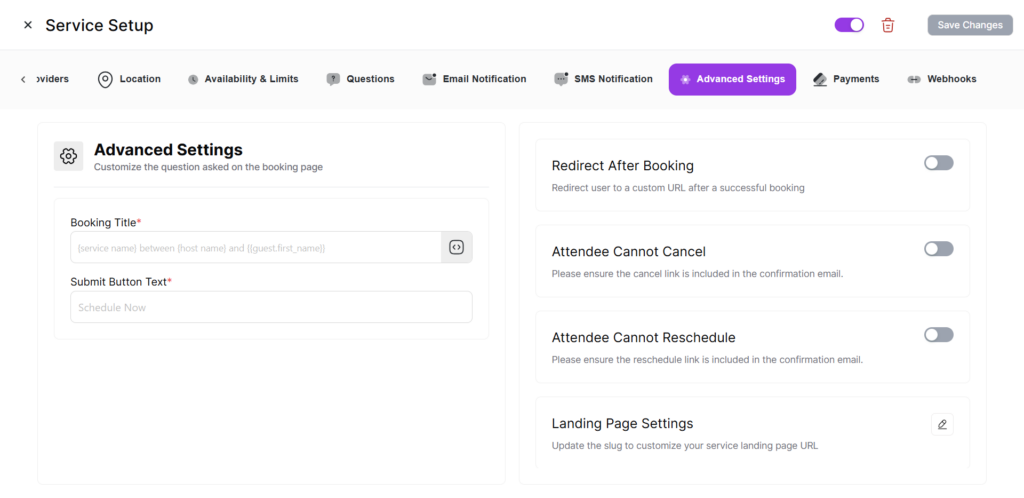
- Require Confirmation — New bookings are “pending” until manually confirmed.
- Redirect URL — Custom redirect after successful booking.
- Cancel Redirect URL — Custom redirect after cancellation.
- Custom CSS — Style the booking form for this service.
- Service Slug — Customize the URL-friendly identifier.
Booking Form Questions
- System Fields — Name and Email (always required and enabled).
- Location Fields — Auto-generated based on configured locations.
- Custom Fields — Add your own questions (text, textarea, select, radio, checkbox, phone, etc.).
- Other Fields — Built-in fields like phone number, company name, and notes.