
Membership Booking Limits for Services
Quill Booking supports membership-based booking limits, restricting how many bookings a subscriber can make per service within a given period. Ideal for membership sites, gyms, clinics, and subscription-based businesses.
How It Works
- Admin configures limits—Set booking limits per membership level, per service (or globally for all services).
- Customer books a service — The system checks whether the customer has an active membership and quota.
- Usage is tracked—Every successful booking increments the counter atomically (race-condition safe).
- Cancellation restores quota—Cancelled bookings decrement the counter.
Configuring Booking Limits
Navigate to Quill Booking → Booking Limits. Here you can add limit rules by selecting a membership plan, a service (or “All Services”), and defining limits.
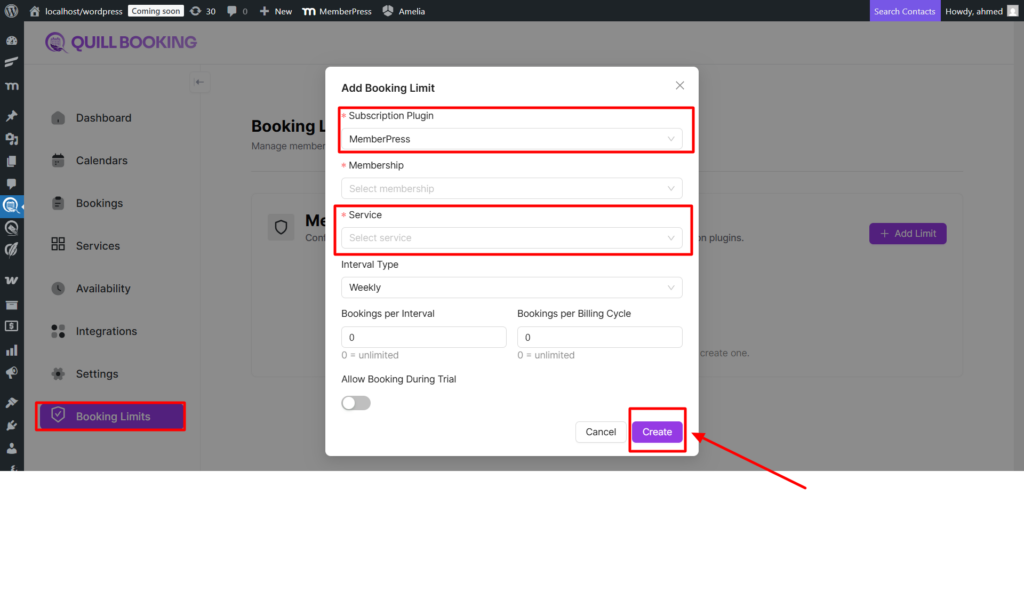
| Limit Type | Description | Example |
|---|---|---|
| Interval Limit | Max bookings per week/month/quarter/year | 4 bookings per month |
| Cycle Limit | Max bookings per billing cycle | 10 bookings per cycle |
| Trial Access | Allow or block bookings during trial periods | Block trial members |
Service Access Control
When membership limits are configured, the public booking page automatically filters services based on the logged-in user’s active memberships. Inaccessible services are hidden. Non-logged-in users won’t see membership-protected services. If no services are accessible, a “subscription required” message is shown.
Remaining Quota
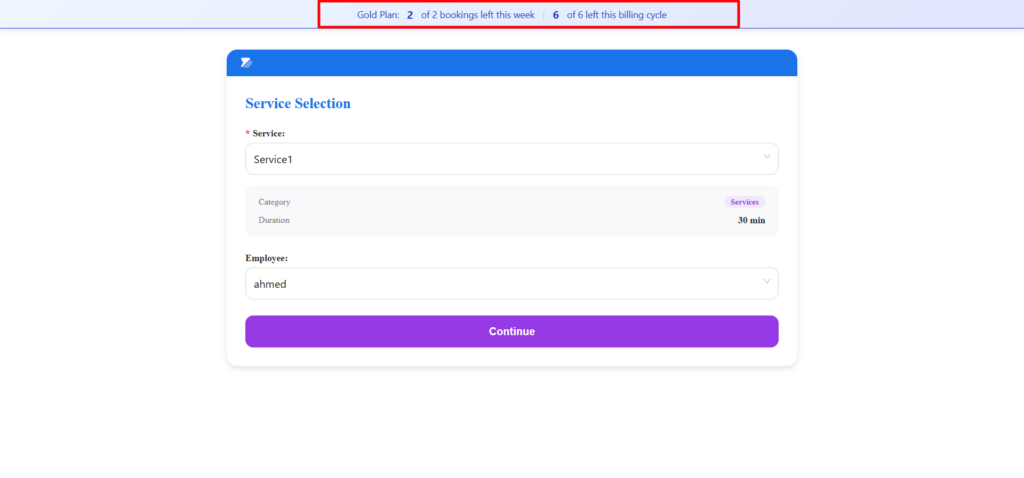
The system provides quota information, including membership name, interval remaining (e.g., 3 bookings left this month), cycle remaining (e.g., 7 bookings left this billing cycle), and total used vs. limit.
Supported Membership Plugins
MemberPress is supported out-of-the-box. Other plugins can be integrated via the qb_resolve_active_memberships filter. Trial access logic can be customized via qb_check_trial_access.