
Service Payments and Group Pricing
The Payments tab lets you collect payments when customers book your service. Quill Booking supports Stripe, PayPal, and WooCommerce as payment gateways for services.
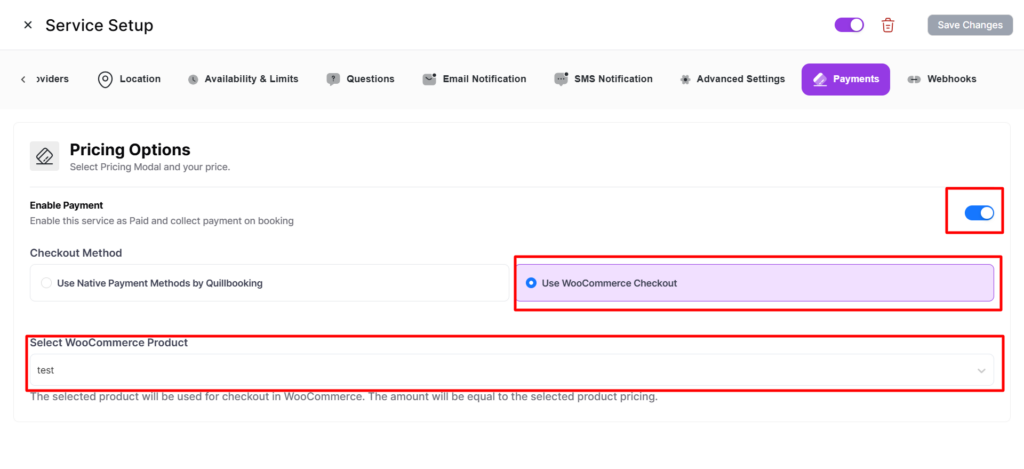
Enabling Payments
- Navigate to the Payments tab.
- Toggle “Enable Payment” on.
- Configure payment items (the service price auto-syncs as the first item).
- Select payment gateways to offer.
- Click “Save Changes”.
Price Synchronization
Service price and payment items stay in sync automatically. Changing the price in Details updates the payment item, and vice versa. This bi-directional sync ensures consistency everywhere.
Group Pricing
For services with capacity > 1, enable Group Pricing in the Details tab for per-person pricing.
Formula: Total = Base Price + ((Guests - 1) × Additional Person Price)
Example: Yoga class with $50 base and $20/additional person. For 3 guests: $50 + (2 × $20) = $90.
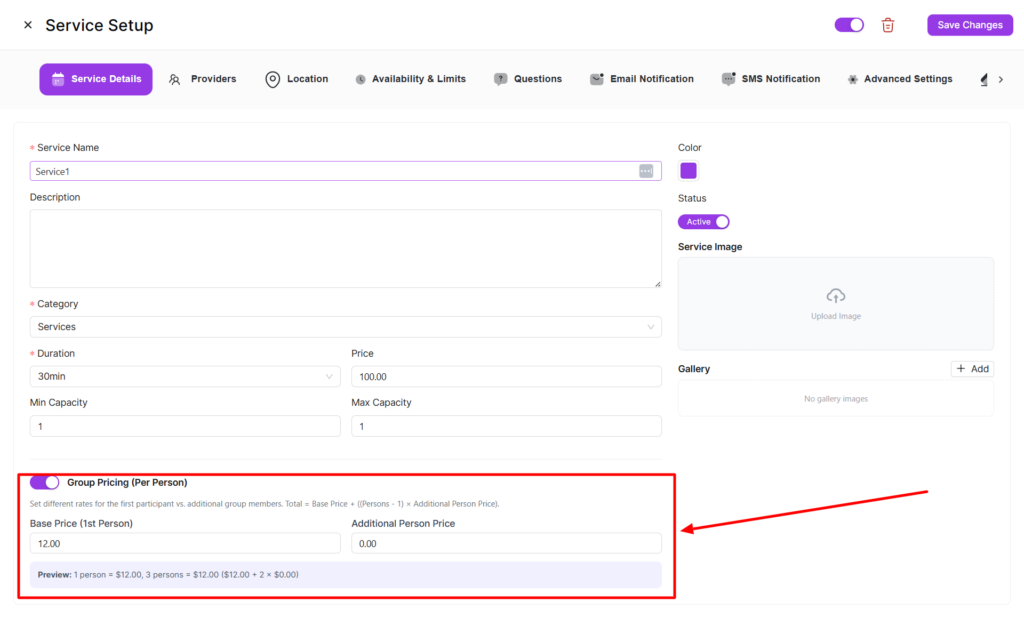
Configuring Group Pricing
- Set Max Capacity > 1 in the Details tab.
- Toggle “Enable Group Pricing” on.
- Set the Base Price and Additional Person Price.
- Save changes.
Per-Provider Pricing
Each provider can have a custom price override in the Providers tab. This is useful when different team members charge different rates.
Payment Gateways
- Stripe — Credit card payments with Stripe integration.
- PayPal — Accept PayPal payments.
- WooCommerce — Process through WooCommerce checkout with proper cart item price override for service bookings.
Each gateway resolves the correct booking amount, prioritizing per-provider pricing when applicable.