
WooCommerce Integration with QuillBooking
QuillBooking integrates with WooCommerce to create a booking with your WooCommerce product, and you can use the payment methods of WooCommerce in QuillBooking. If you want to create any booking event with your WooCommerce Product, just follow the simple steps of this guide.
Activate the WooCommerce Module
Make Sure Woocommerce plugin is activated in wordpress
Configure WooCommerce in a Booking Event
Now go to the Calendars. You can create a new event or edit an existing booking event.
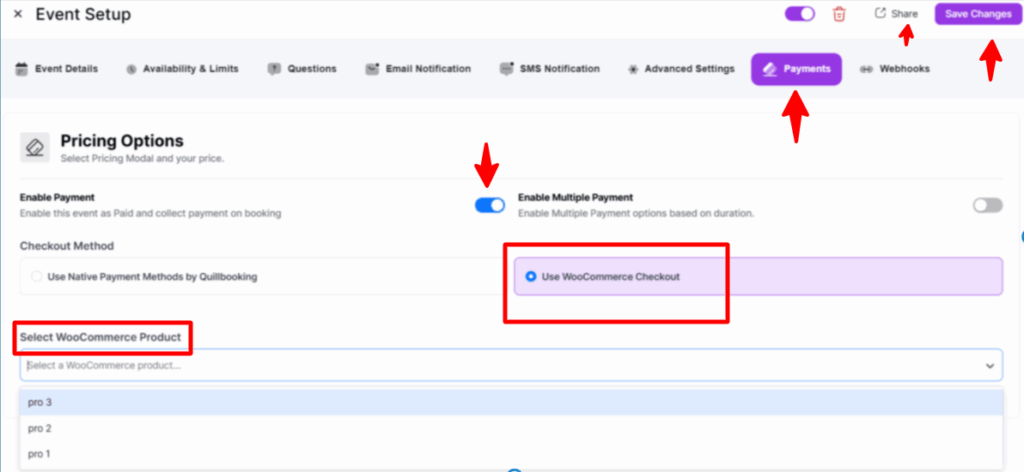
Select the Payment settings and enable the booking event payment checkbox. Now, select the Use WooCommerce Checkout option for payment.
You have to select a WooCommerce product from the dropdown menu and click on the Save Changes button.
Your booking event is now ready to be shared.
Booking Order and Payment Confirmation with WooCommerce
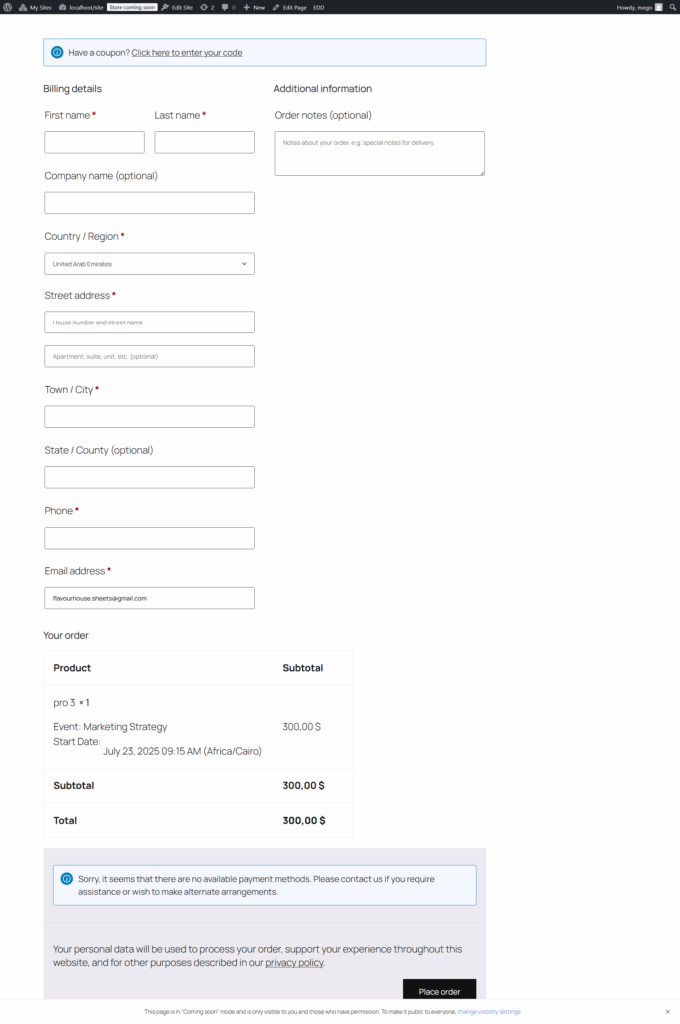
Your Invitees will see your WooCommerce product-integrated booking event like this. The booking amount will be the same as the WooCommerce product.
The checkout process for the booking event is flawlessly integrated with WooCommerce’s checkout page, ensuring a trusted payment experience.
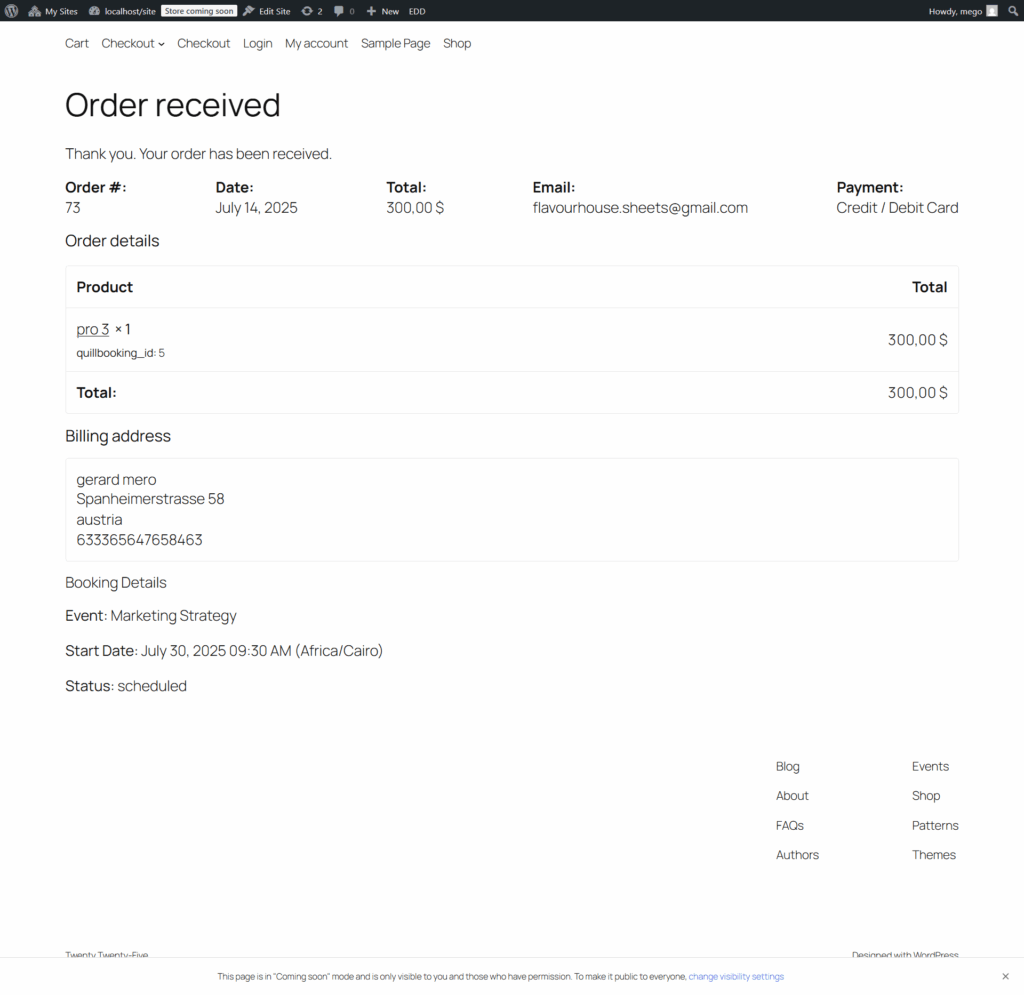
After successfully placing an order, you will see that your booking event’s payment has been processed using the WooCommerce payment method.
This is the process of how you can Integrate your WooCommerce with QuillBooking.