Stripe Integration with QuillBooking
QuillBooking seamlessly interacts with the Stripe Payment system to make your booking payments easier. Please follow these simple steps for integrating QuillBooking with Stripe.
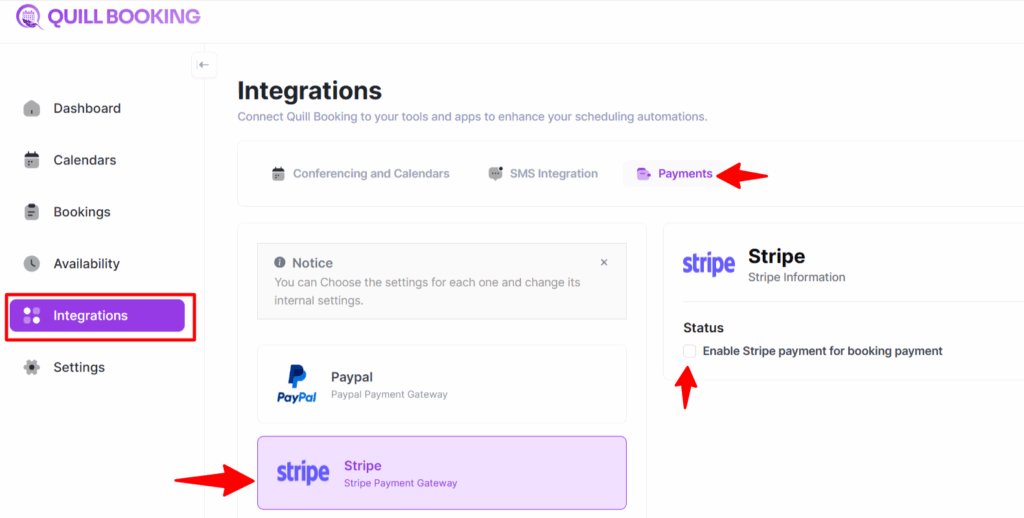
From the QuillBooking dashboard, click on Integrations, then click on payments tab.
click on Stripe option for setting it up.
Configuring Stripe Payment
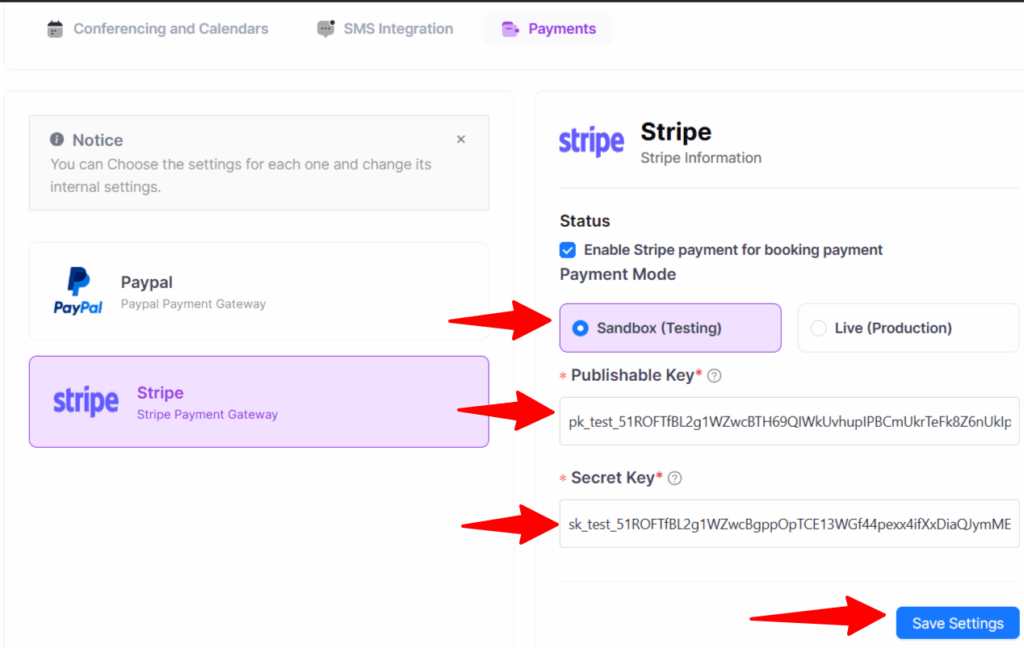
On the Stripe Payment Configuration page, proceed with the following steps:
First, enable Stripe payments for your booking transactions by clicking on the checkbox.
You’ll be presented with two payment modes: Test mode and Live mode. Choose Test mode if you want to perform payment testing before going to live. If you’re ready for live transactions, select Live mode. For this guide, we’ll use the Test mode.