Quick answer
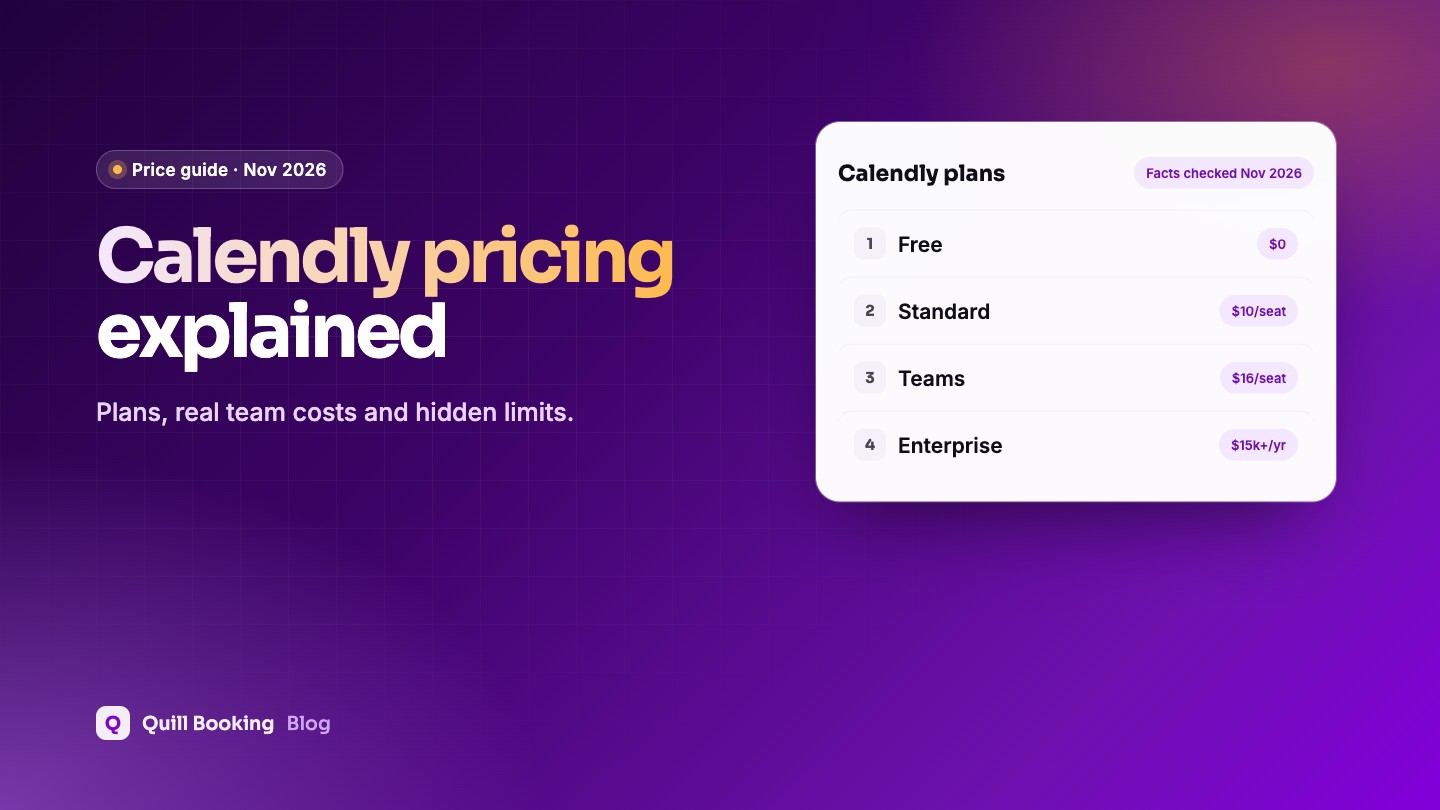
On November 5, 2026, Calendly had four plans: Free ($0, one event type and one calendar connection), Standard ($10 per seat a month billed yearly), Teams ($16 per seat a month billed yearly) and Enterprise (from $15,000 a year, 50 seats minimum). Reminders, payments and multiple calendars need Standard; round-robin and Salesforce need Teams.
Calendly’s pricing looks simple until you add up seats and the features you actually need. Here is what each plan includes, what a team really pays per year, and when a booking plugin on your own site is the cheaper option.
Disclosure: We make Quill Booking, a WordPress booking plugin that competes with Calendly. Calendly’s prices below come from its own pricing page and help centre.
Calendly plans and prices
| Plan | Price | Key features |
|---|---|---|
| Free | $0 | One event type, one calendar connection, booking page; no reminders or payments; Calendly branding |
| Standard | $10/seat/month, billed yearly | Reminders and workflows, Stripe and PayPal, up to 6 calendars, HubSpot and Mailchimp, remove branding |
| Teams | $16/seat/month, billed yearly | Round-robin and team scheduling, routing forms, Salesforce |
| Enterprise | From $15,000/year | From 50 seats; Salesforce lookup routing |
What a team actually pays
| Team size | Standard (yearly) | Teams (yearly) |
|---|---|---|
| 1 person | $120 | $192 |
| 3 people | $360 | $576 |
| 5 people | $600 | $960 |
| 10 people | $1,200 | $1,920 |
Features that need a paid plan
- Reminders and follow-ups (workflows): Standard.
- Text reminders: paid plans only, and not during the trial; texts are limited to 180 characters (Calendly help).
- Payments with Stripe or PayPal: Standard.
- Removing Calendly branding: Standard and above (Calendly help).
- Round-robin and team scheduling: Teams.
Is Calendly HIPAA compliant?
We could not find a Business Associate Agreement on any Calendly plan. Calendly’s customer terms ask customers not to put protected health information into the service (Calendly customer terms). Healthcare providers should take this into account.
When a WordPress plugin is cheaper
If your website runs on WordPress, a booking plugin is priced per site, not per person. Quill Booking Pro costs $39 a year (or $109 once) for one site with any number of hosts, including reminders, payments, calendar sync, video links and round-robin. See our list of Calendly alternatives for WordPress for more options.
Frequently asked questions
Is Calendly free?
Calendly has a free plan with one event type and one calendar connection. Reminders, payments, multiple event types and branding removal need a paid plan.
How much is Calendly per month?
On November 5, 2026, Standard was $10 per seat a month and Teams $16 per seat a month when billed yearly. Monthly billing costs more.
Which Calendly plan has round-robin?
Teams, at $16 per seat a month billed yearly.
Does Calendly charge per user?
Yes. Paid plans are priced per seat, so each team member who takes bookings adds to the cost.
Is there a cheaper alternative to Calendly?
For WordPress sites, booking plugins such as Quill Booking ($39 a year per site), FluentBooking ($79) and LatePoint ($99) cover most Calendly features for the whole team.
Related guides
- What is round-robin scheduling?
- How to add a booking calendar to WordPress
- 30 appointment reminder templates
- Calendly lifetime deal
- Acuity Scheduling pricing
Calendly features, one price per siteQuill Booking Pro: reminders, payments, sync and round-robin from $39 a year.
See pricing