Quick answer
A good appointment reminder is short and includes the client’s name, the date and time with time zone, the location or meeting link, and a one-tap way to reschedule or cancel. Send one by email when the booking is made and another by email or text about 24 hours before. Research shows text reminders raise attendance, and several reminders work better than one. Copy any of the 30 templates below.
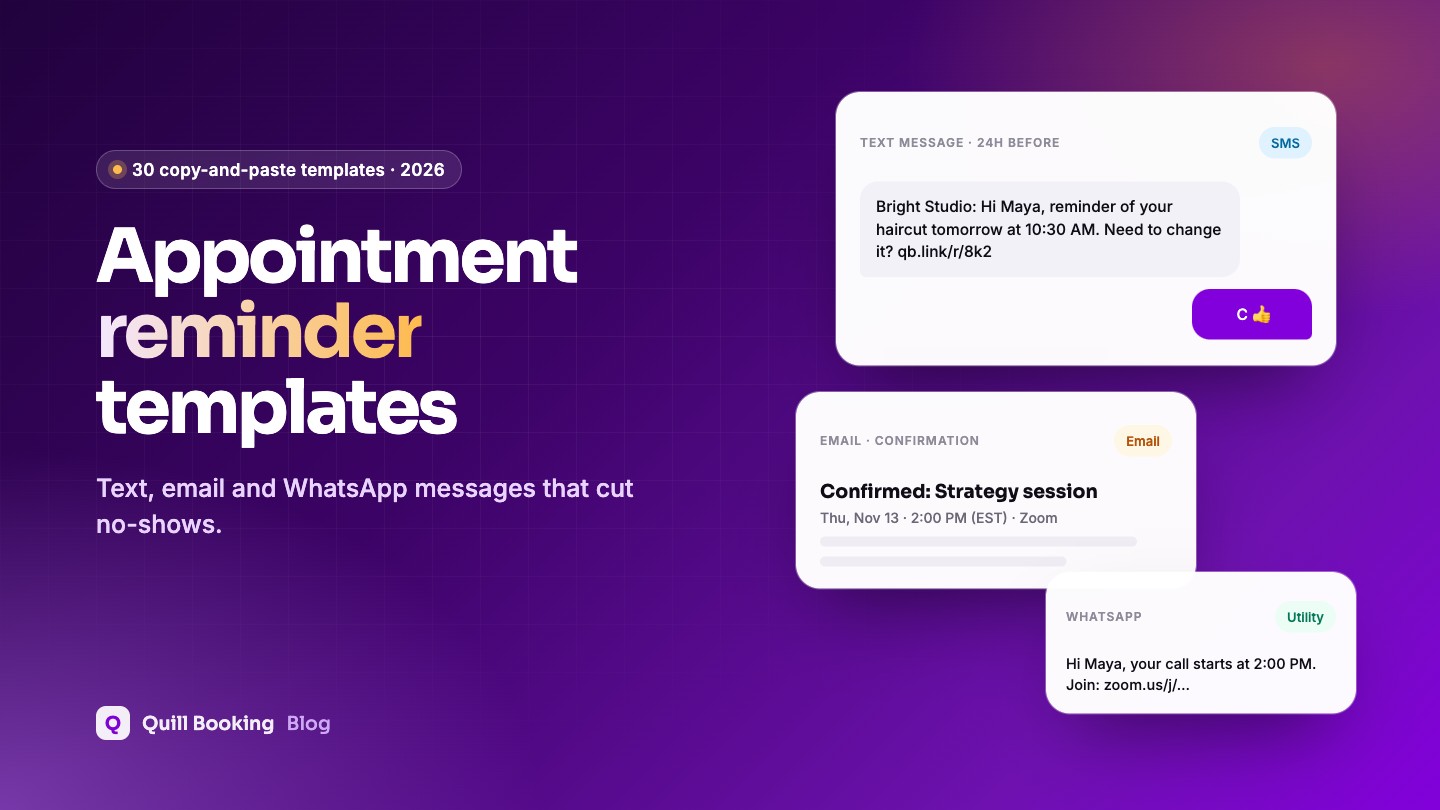
Missed appointments cost you time you cannot sell twice. The easiest fix is a well-written reminder sent at the right moment. Below you will find 30 ready-to-use reminder templates for text messages, email and WhatsApp, plus versions for clinics, salons, therapists, tutors and sales teams.
Each template uses placeholders in square brackets, such as [Name]. Replace them yourself, or let your booking plugin fill them in automatically (we show how at the end).
Disclosure: We make Quill Booking, so we use it for the screenshots and examples. The advice works with most booking plugins and scheduling tools.
What every reminder should include
- Who it is from. Start with your business name so the message is not mistaken for spam.
- The client’s name. Personal messages get read.
- What, when and where. Service, date, time with time zone, and the address or video link.
- A clear action. Confirm, reschedule or cancel, ideally with a link.
- Anything they must bring or prepare. Forms, documents, or arriving 10 minutes early.
- An opt-out for texts (“Reply STOP to opt out”) where the law requires it.
When to send appointment reminders
There is no single perfect time. A systematic review of text-message reminder trials found they worked whether they were sent 24, 48 or 72 or more hours ahead, with no significant difference between those timings (Guy et al., 2012). What does matter is sending more than one: the BMJ Open review found multiple notifications worked significantly better than a single one. A simple schedule that works for most businesses:
| When | Channel | Purpose |
|---|---|---|
| Right after booking | Confirmation with all details, a calendar invite and reschedule/cancel links | |
| 24 to 48 hours before | Email and SMS or WhatsApp | Main reminder: time to reschedule if plans changed |
| 1 to 2 hours before | SMS or WhatsApp | Same-day nudge with the address or meeting link |
| After the appointment | Thank-you, next steps, rebooking or review request |
SMS appointment reminder templates
Keep texts under 160 characters where you can, put the key detail first and avoid emojis if you want to stay in one SMS segment.
[Business]: Hi [Name], reminder of your [Service] tomorrow, [Date] at [Time]. Need to change it? [Reschedule link]
[Business]: Hi [Name], see you today at [Time] at [Address]. Running late? Call [Phone].
[Business]: Hi [Name], your appointment is on [Date] at [Time]. Reply C to confirm or R to reschedule. Reply STOP to opt out.
[Business]: Hi [Name], your [Service] starts at [Time] ([Time zone]). Join here: [Meeting link]
Hi [Name], it's [Business]. Still good for [Day] at [Time]? If not, pick a new time here: [Reschedule link]
[Business]: Hi [Name], your [Service] on [Date] is confirmed. Please complete payment before your visit: [Payment link]
Hi [Name], we missed you today at [Business]. We hope all is well. Book a new time here: [Booking link]
[Business]: Good news, [Name]! A slot opened on [Date] at [Time]. Claim it before it's gone: [Link]
Email appointment reminder templates
Email gives you room for preparation details and links. Keep the subject line specific: the date and time should be visible without opening the email.
Subject: Confirmed: [Service] on [Date] at [Time]

Hi [Name],

Thanks for booking with [Business]. Here are your details:

Service: [Service]
Date and time: [Date], [Time] ([Time zone])
Where: [Address or meeting link]
With: [Host name]

Need to change something? Reschedule: [Reschedule link] or cancel: [Cancel link].

See you soon,
[Host name]
Subject: Reminder: your [Service] is tomorrow at [Time]

Hi [Name],

Just a friendly reminder that your [Service] is tomorrow, [Date], at [Time] ([Time zone]).

Where: [Address or meeting link]

If you can no longer make it, please reschedule or cancel at least [Notice period] in advance so we can offer the slot to someone else: [Reschedule link]

Thanks,
[Business]
Subject: Your call with [Host name] starts at [Time]

Hi [Name],

Your [Service] starts at [Time] ([Time zone]) today.

Join the meeting: [Meeting link]

Tip: open the link a couple of minutes early to check your camera and microphone.

Talk soon,
[Host name]
Subject: How to prepare for your [Service] on [Date]

Hi [Name],

To make the most of your appointment, please:

- [Preparation step 1]
- [Preparation step 2]
- Arrive [10] minutes early

Address: [Address]. Parking: [Parking details].

Questions? Just reply to this email.

[Business]
Subject: Rescheduled: [Service] is now on [New date] at [New time]

Hi [Name],

No problem, your appointment has moved.

New time: [New date], [New time] ([Time zone])
Previous time: [Old date], [Old time]

Where: [Address or meeting link]

See you then,
[Business]
Subject: Your [Service] on [Date] has been cancelled

Hi [Name],

Your appointment on [Date] at [Time] has been cancelled. [Any refund or fee details.]

Whenever you are ready, you can book a new time here: [Booking link]

[Business]
Subject: We missed you today

Hi [Name],

We were expecting you for your [Service] at [Time] today. We hope everything is OK.

If you would like to book another time, here is the link: [Booking link]

[Optional: As a reminder, our cancellation policy is ... ]

Best wishes,
[Business]
Subject: Thanks for today, [Name]

Hi [Name],

Thank you for your time today. As promised, here is [summary, notes or next step].

Ready for your next session? Book here: [Booking link]

If you have a minute, a short review helps us a lot: [Review link]

[Host name]
WhatsApp appointment reminder templates
Businesses can only start a WhatsApp conversation, or message someone more than 24 hours after their last message, with a pre-approved template. Reminders belong in Meta’s utility category. Approval can take up to 24 hours (Meta documentation). Keep marketing out of utility templates, or Meta may recategorise them.
Hi [Name], this is a reminder of your [Service] with [Business] on [Date] at [Time]. Location: [Address or link]. Reply here if you need to change it.
Hi [Name], can you confirm your appointment with [Business] on [Date] at [Time]? Reply YES to confirm or CHANGE to pick another time.
Hi [Name], your call with [Host name] starts at [Time] ([Time zone]). Join here: [Meeting link]
Hi [Name], see you today at [Time]. We're at [Address]. Directions: [Map link]. Please arrive 5 minutes early.
Hi [Name], we're sorry we missed you today. Would you like to book another time? Pick a slot here: [Booking link]
Thanks for visiting [Business] today, [Name]! Your next recommended appointment is around [Date]. Book it here: [Booking link]
Reminder templates by industry
Some industries need a different tone or extra care with privacy. For healthcare and therapy, leave the reason for the visit out of texts: anyone can see a message on a locked phone.
[Practice]: Hi [Name], reminder of your appointment on [Date] at [Time]. Please bring your ID and insurance card. To change it call [Phone].
Hi [First name], a reminder of your session on [Date] at [Time]. Reply or call [Phone] if you need to reschedule.
[Salon]: Hi [Name], see you [Day] at [Time] with [Stylist] for your [Service]. Need to move it? [Reschedule link]
Subject: Lesson reminder: [Day] at [Time]

Hi [Name],

Your [Subject] lesson is on [Day] at [Time] ([Time zone]). Please have [materials] ready.

Join: [Meeting link]

See you there,
[Tutor name]
Subject: Your [Product] demo is tomorrow at [Time]

Hi [Name],

Looking forward to showing you [Product] tomorrow at [Time] ([Time zone]). I'll focus on [their goal from the booking form].

Join: [Meeting link]

If the time no longer works, pick another here: [Reschedule link]

[Rep name]
[Business]: Hi [Name], our technician will arrive [Date] between [Time window]. Please make sure someone is home. Questions? [Phone]
[Studio]: Hi [Name], you're booked for [Class] on [Day] at [Time]. Can't make it? Cancel by [Deadline] to free your spot: [Link]
Hi [Name], reminder of your viewing at [Property address] on [Date] at [Time] with [Agent name]. Call [Phone] if you're running late.
Rules to follow before you text clients
This is general information, not legal advice. The rules depend on your country and industry, so check with an adviser if you are unsure.
- United States: the TCPA requires prior express consent for automated texts to mobile numbers, and prior express written consent for marketing texts (47 CFR 64.1200). Honour opt-out replies such as STOP, QUIT or CANCEL. Businesses texting from an app over a standard US 10-digit number must also register for A2P 10DLC.
- UK: the ICO treats genuine appointment reminders as service messages rather than direct marketing, but adding promotions turns them into marketing.
- WhatsApp: use approved utility templates for reminders and get the client’s opt-in to WhatsApp messages.
- Health and therapy: keep sensitive details out of texts and emails.
The simplest safe habit: ask for the phone number on the booking form, say it will be used for appointment reminders, and keep reminders free of promotions.
How to automate reminders in WordPress
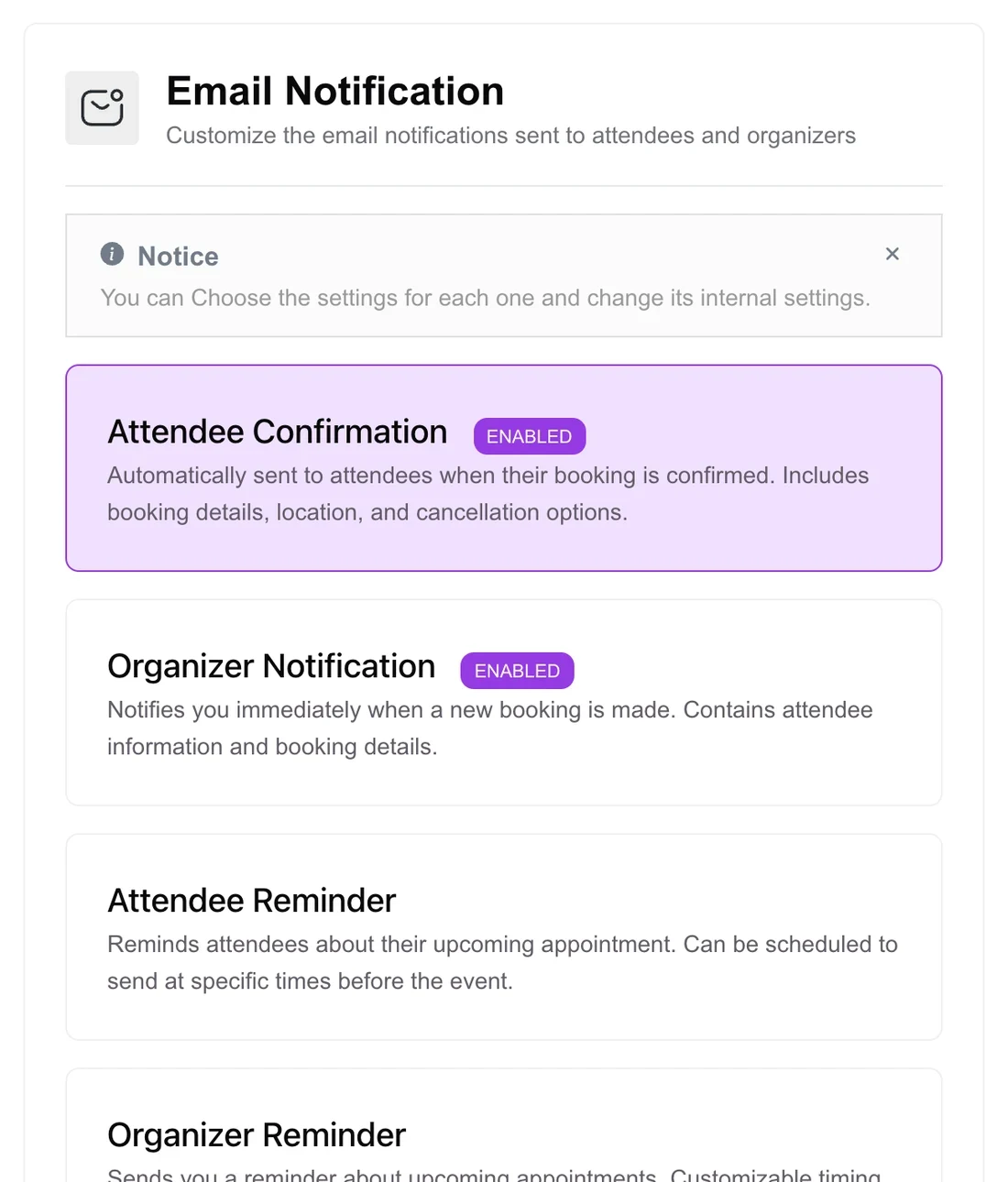
Writing reminders is the easy part; sending them on time for every booking is where automation helps. In Quill Booking, open an event, go to the Email Notification tab and switch on Attendee Reminder. You can schedule it at specific times before the event and paste any template above into the body.
Replace the square-bracket placeholders with merge tags, which fill in the right details for each booking:
| Placeholder | Quill Booking merge tag |
|---|---|
| [Name] | {{guest:name}} |
| [Service] | {{booking:event_name}} |
| [Date] and [Time] | {{booking:start_time timezone="attendee"}} |
| [Address or meeting link] | {{booking:event_location}} |
| [Reschedule link] | {{booking:reschedule_url}} |
| [Cancel link] | {{booking:cancel_url}} |
| [Host name] | {{host:name}} |
For text and WhatsApp reminders, Quill Booking Pro connects to Twilio. Add a phone question to the booking form, tick “Use this number for sending SMS notifications”, then write your messages on the SMS Notification tab. The Twilio setup guide walks through it.
Frequently asked questions
How far in advance should you send an appointment reminder?
Send a confirmation right after booking and a reminder 24 to 48 hours before. A systematic review found no significant difference between reminders sent 24, 48 or 72 hours ahead, so the important part is sending one. A short same-day text 1 to 2 hours before helps for appointments booked far in advance.
Do text reminders really reduce no-shows?
Yes. A Cochrane review found text reminders increased attendance compared with no reminder (risk ratio 1.14), and a 2016 BMJ Open review of 21 trials found no-shows fell from 21% to 15% with text notifications. Multiple reminders worked better than one.
What should an appointment reminder text say?
Your business name, the client’s name, the date and time, the location or meeting link, and a way to reschedule or cancel. For example: “[Business]: Hi [Name], reminder of your [Service] tomorrow at [Time]. Need to change it? [Link]”.
How long can an SMS reminder be?
One SMS segment holds 160 standard characters. Longer messages are split into segments of 153 characters, and a single emoji or special character drops the limit to 70 characters per segment, which can raise your costs.
Do I need permission to send appointment reminder texts?
Usually yes. In the US, the TCPA requires prior express consent for automated texts, and written consent if the message includes marketing. In the UK, appointment reminders count as service messages, but promotions do not. Collect the phone number with a clear note that it is for reminders.
Related guides
- How to reduce no-shows
- Appointment cancellation policy template
- How to add a booking calendar to WordPress
Send every reminder automaticallyQuill Booking sends confirmation and reminder emails for free. Pro adds SMS and WhatsApp through Twilio.
See pricingSources
Checked on November 5, 2026: Dantas et al., Health Policy 2018; Cochrane review CD007458 (Gurol-Urganci et al., 2013); Robotham et al., BMJ Open 2016; Guy et al., Health Services Research 2012; Twilio SMS character limit; 47 CFR 64.1200; Meta WhatsApp message templates.