
Modify Event Details
Need to make changes to a booking? With QuillBooking, editing, disabling, or deleting events is simple and fast. Here’s how to do it:
✏️ Edit a Booking
- Go to the Calendars section form your QuillBooking navigation bar
- Find the booking event you want to modify and click the button with the three-dots.
- From the dropdown menu, choose Edit, Disable, Clone, or Delete based on your needs.
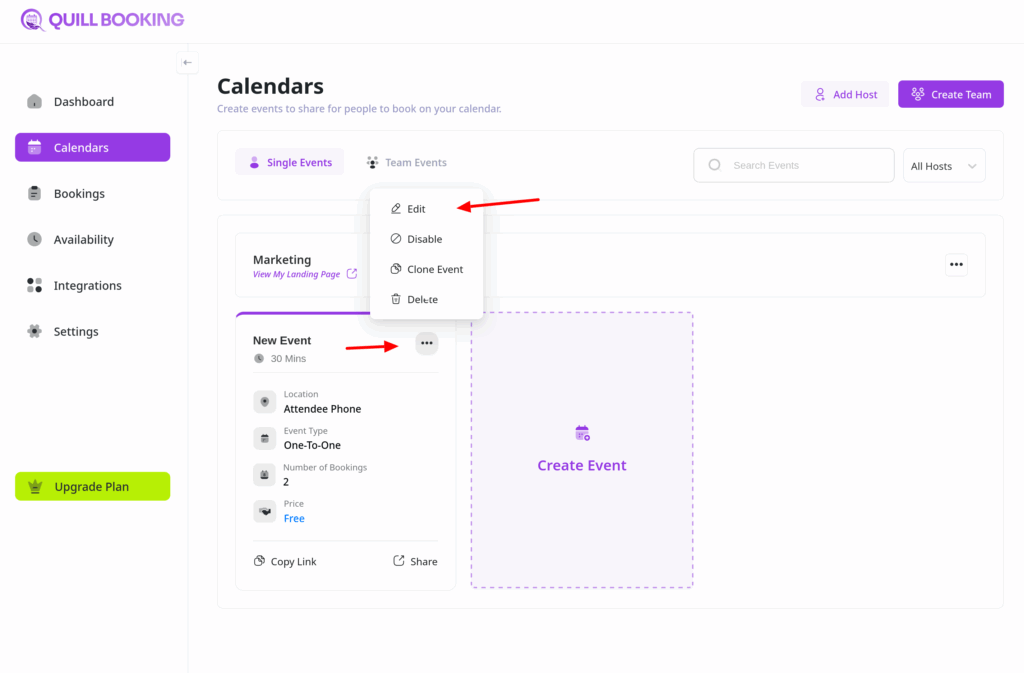
If you select Edit, you’ll be taken to the Event Details page, where you can update the event’s name, description, duration, availability, notifications, and more.
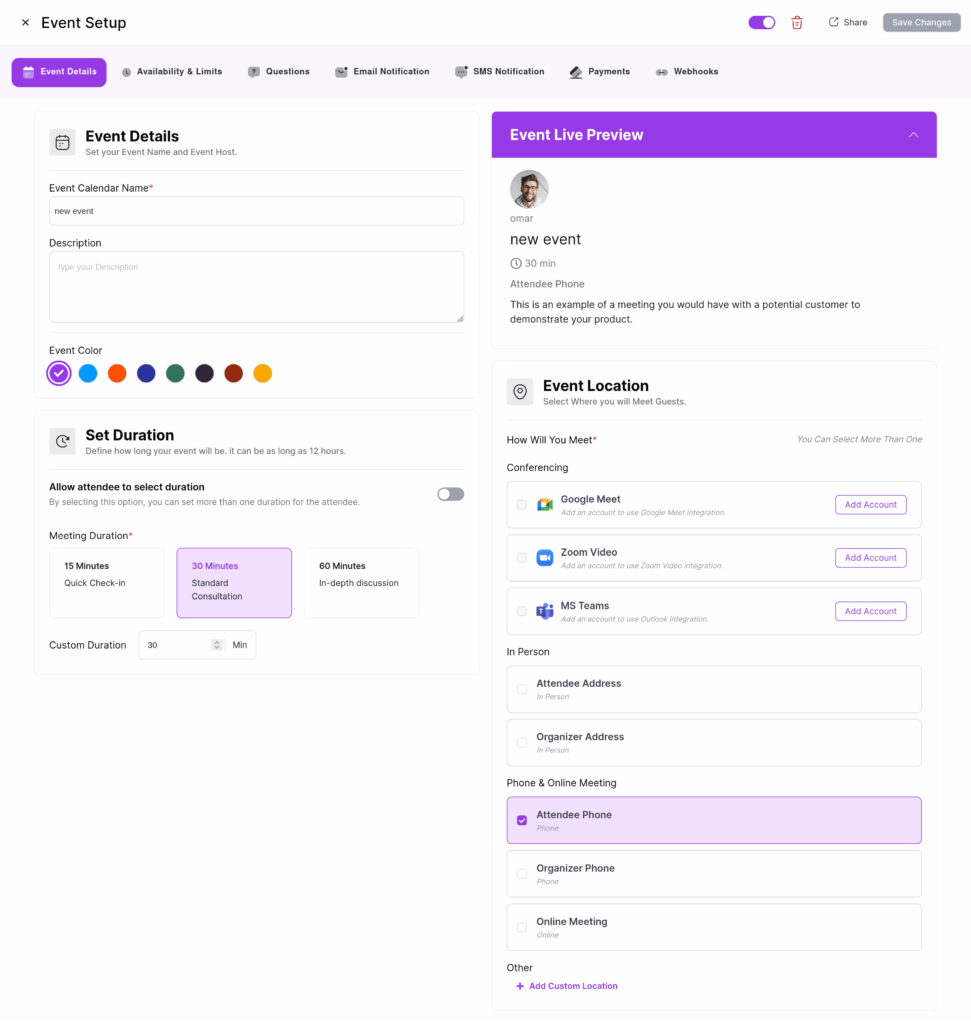
Once you’re done editing, click Save Changes to apply your updates.