Host/User Access Management
QuillBooking gives you full control over who can manage calendars, events, and bookings through flexible host permissions and role-based access.
Role-Based Access (WordPress Integration)
In a WordPress environment, QuillBooking aligns with the platform’s user roles for access control:
- Administrators have full access by default and can manage all hosts and settings.
- Admins can assign the role of Host to users with the roles of Editor, Author, or Contributor.
- Subscribers cannot be assigned as Hosts in QuillBooking.
This ensures that only trusted team members can create or manage booking activities.
Team Management & Permissions
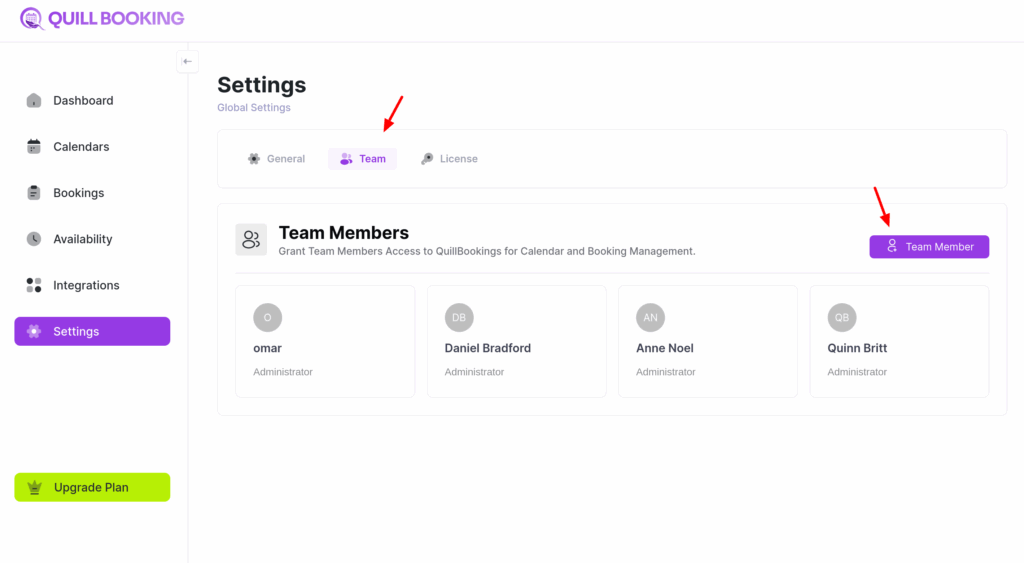
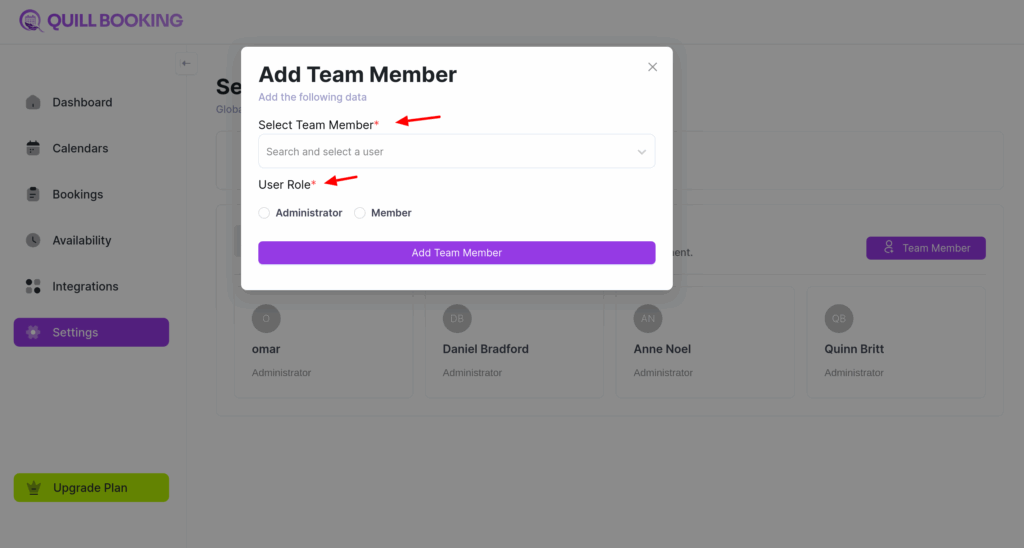
To control access for hosts, admins can manage team permissions directly from the QuillBooking dashboard:
- Go to the Dashboard.
- Open the Settings section.
- Select Team tab.
- Click the Add Team Member button to assign a host and define their permissions.