
Create Collective Events
The Collective Booking feature lets you assign multiple hosts to a single meeting with one client or attendee. Unlike traditional one-on-one meetings, this setup is perfect for sales calls, panel interviews, support sessions, or any meeting that requires a collaborative team approach.
In this guide, we’ll walk you through the process of creating a Collective Booking in QuillBooking
Step 1: Start a New Team Event
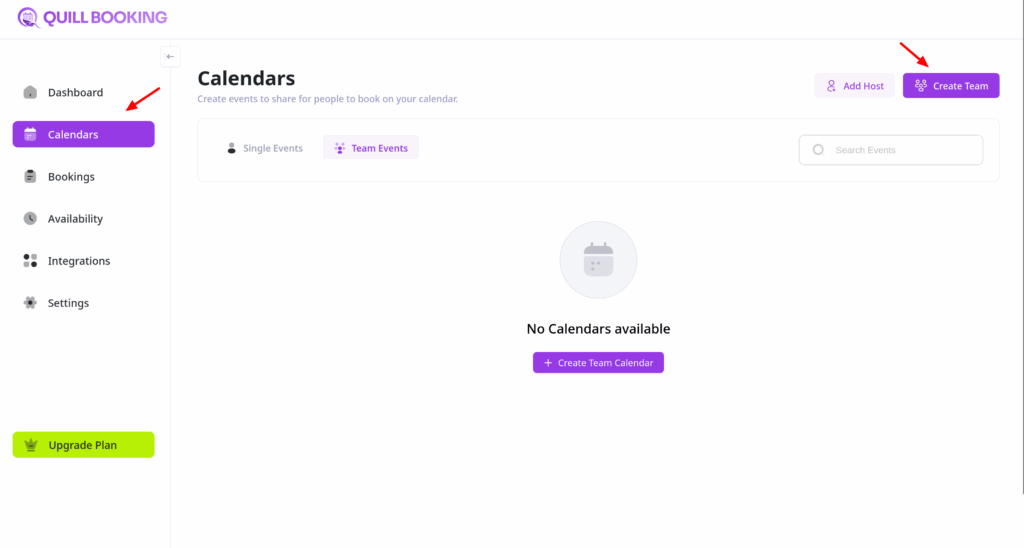
- From your QuillBooking navigation menu, go to Calendars.
- Click the Create Team button.
- ⚠️ Note: The Collective Booking feature is only available for Team Events.
Step 2: Create and Configure Your Team
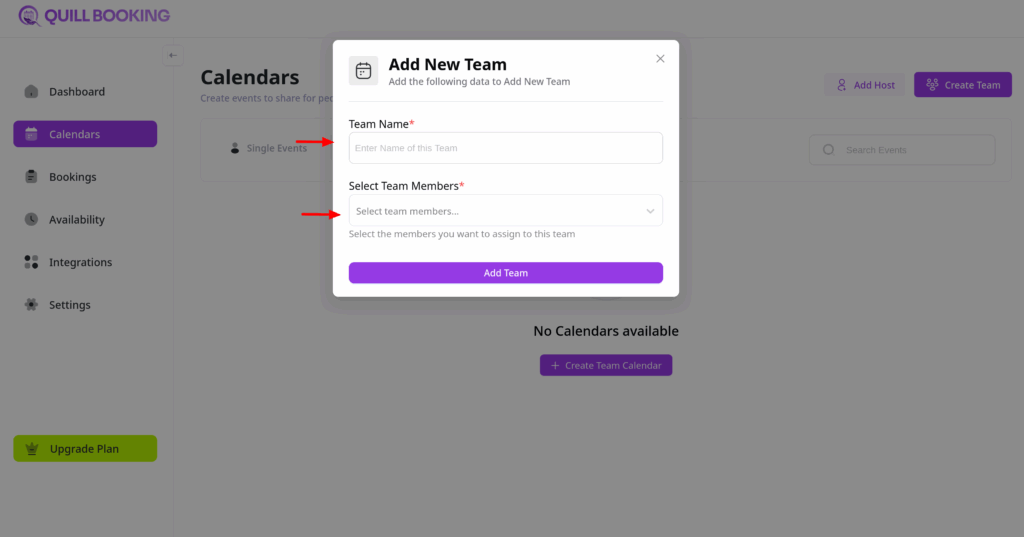
- Give your team a name.
- Use the Select Team Member dropdown to add team members.
- Click on Add Team button
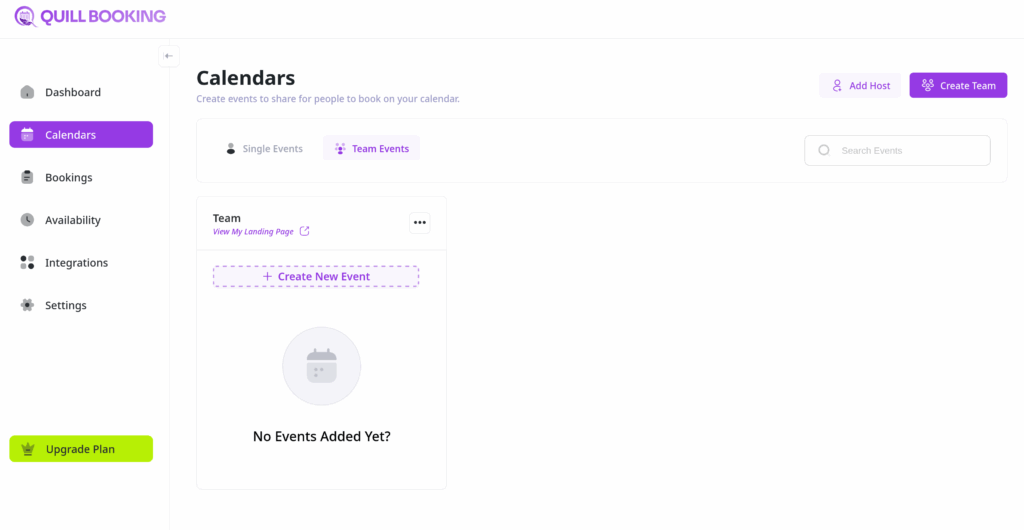
Once you click on Add Team button, a calendar will be created.
Step 3: Set Up Collective Event
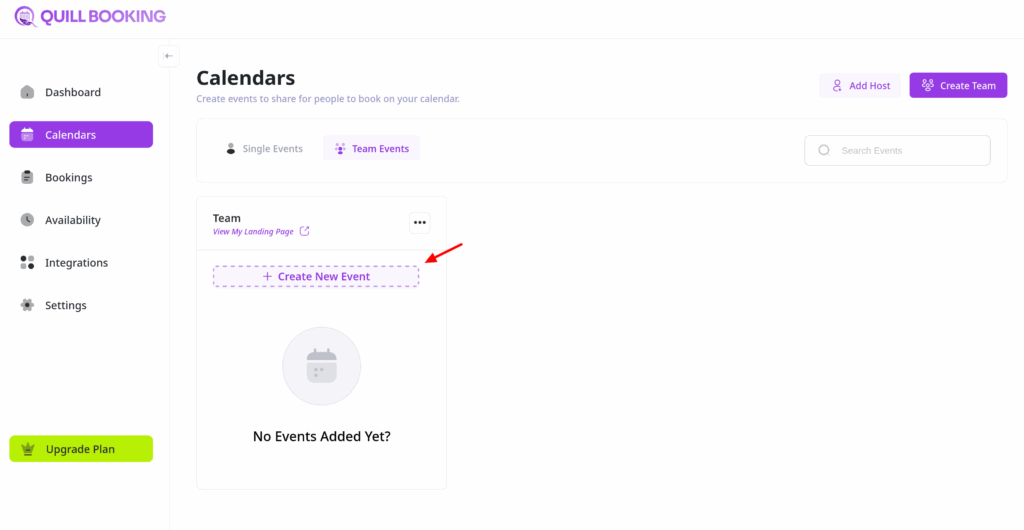
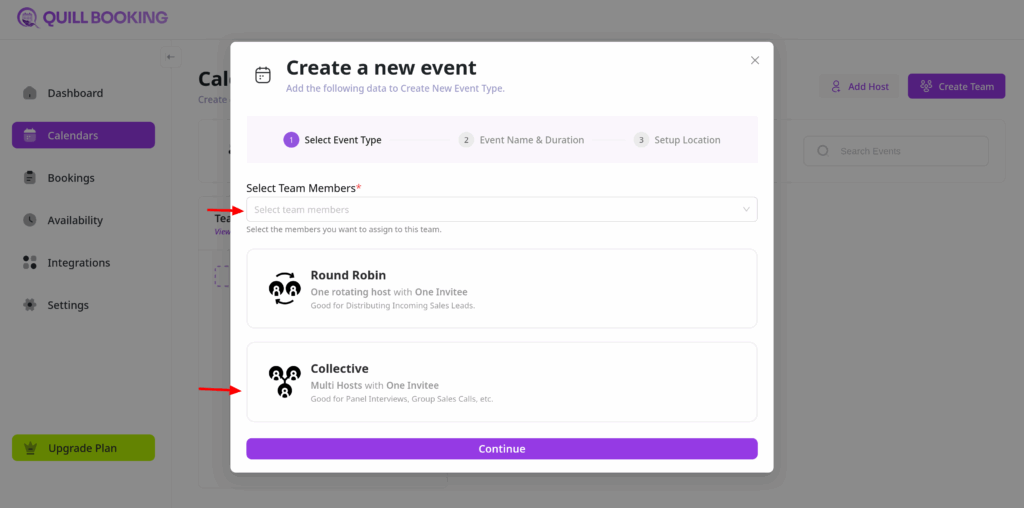
- Click on Create New Event button.
- Choose the team members for this event, set the event type to Collective, and complete the remaining configuration settings.
Once you’ve configured your event, you’ll be redirected to the Event Details page.
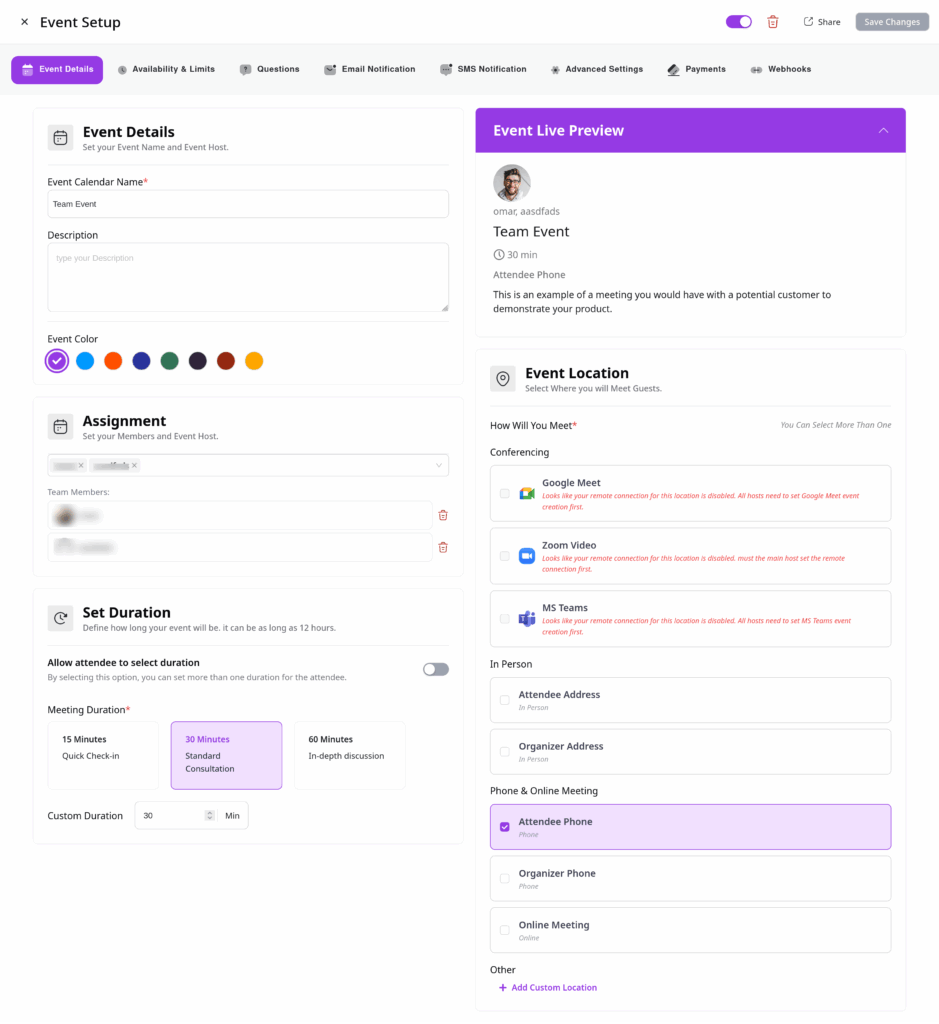
Step 4: Adjust Availability Settings
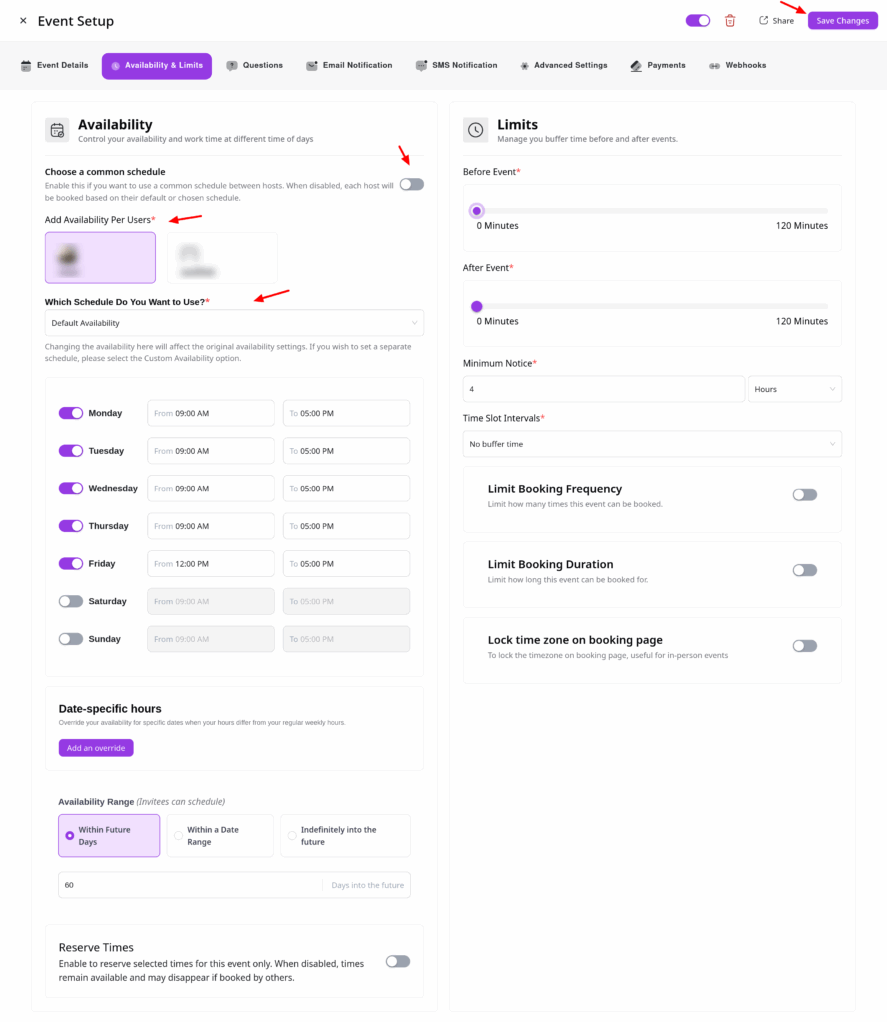
In the Availability & Limits tab, you can decide how your team’s availability is managed:
Common Schedule
- Enable this option to use one shared schedule for all hosts.
- If left disabled, each host follows their own schedule.
Host Schedule
- If you prefer individual host availabilities, choose the Host Schedule option.
- Select from each host’s pre-configured availability using the dropdown menu.
Once you’ve customized your availability, click Save Changes.
That’s it! You’ve successfully created a Collective Booking in QuillBooking.
If you have any questions, suggestions, or need assistance, feel free to contact our support team—we’re always here to help.