
Make
Looking to automate your workflows and save valuable time? Introducing the QuillBooking Make Integration—a powerful way to connect your WordPress-based booking system with thousands of apps and services, without writing a single line of code.
Built on the flexible QuillBooking platform, this integration allows you to streamline scheduling while Make acts as the automation engine that connects everything together—whether it’s Google Sheets, Slack, Gmail, Notion, or any other tool in your workflow.
With QuillBooking + Make, every new booking can instantly trigger customized scenarios—such as sending confirmation emails, adding rows to spreadsheets, updating your CRM, or notifying your team. Whether you’re managing client appointments, interviews, or service calls, this integration ensures every process runs automatically and reliably.
By connecting QuillBooking with Make, you remove repetitive manual tasks, reduce human error, and create a smooth, connected experience across your tools—freeing you to focus on growing your business.
In this guide, we’ll show you how to set up the QuillBooking Make Integration and create automated scenarios that enhance your productivity and keep everything running like clockwork.
How to Setup
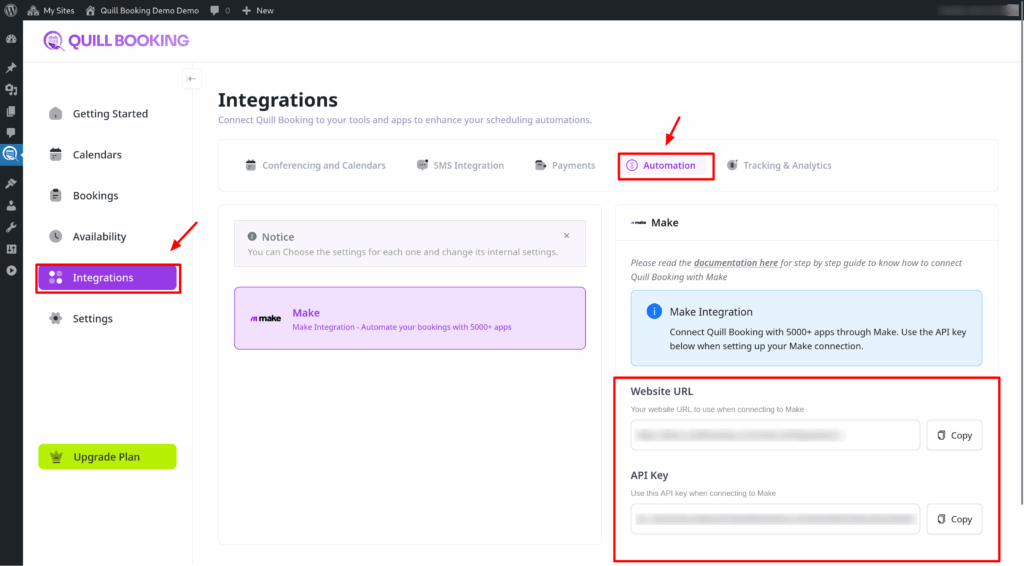
- Go to the Integrations tab, then select the Automation tab and open the Make section. Copy both the Website URL and the API key.
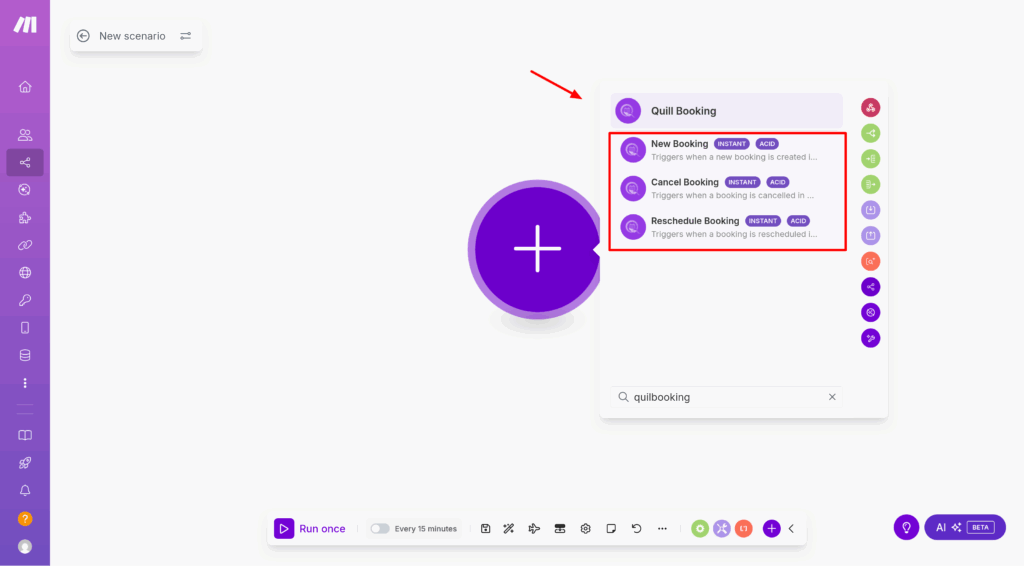
- Then, go to make and create a new scenario. In the Apps section, search for and select the QuillBooking trigger you need.
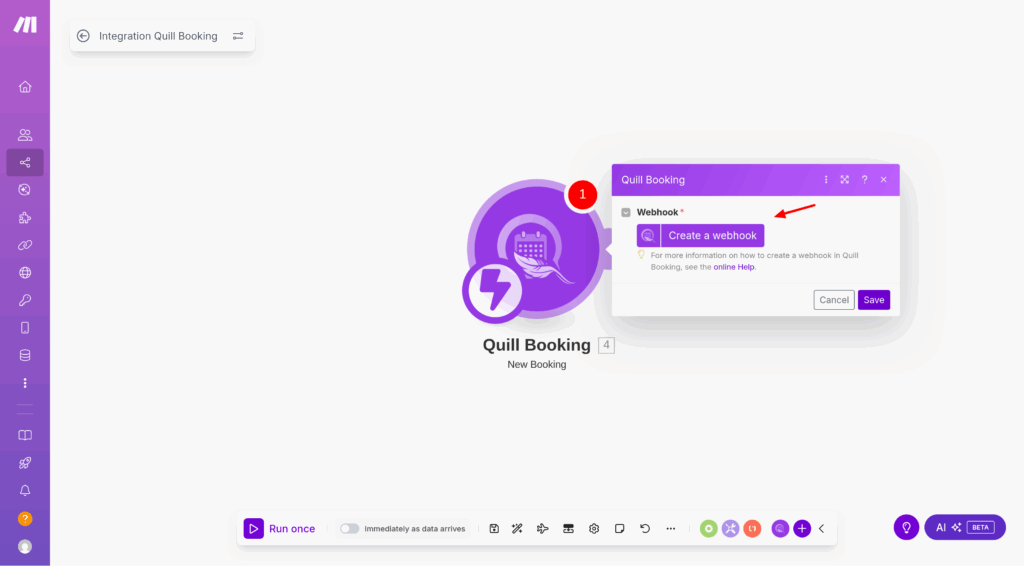
- Next, add a new webhook.
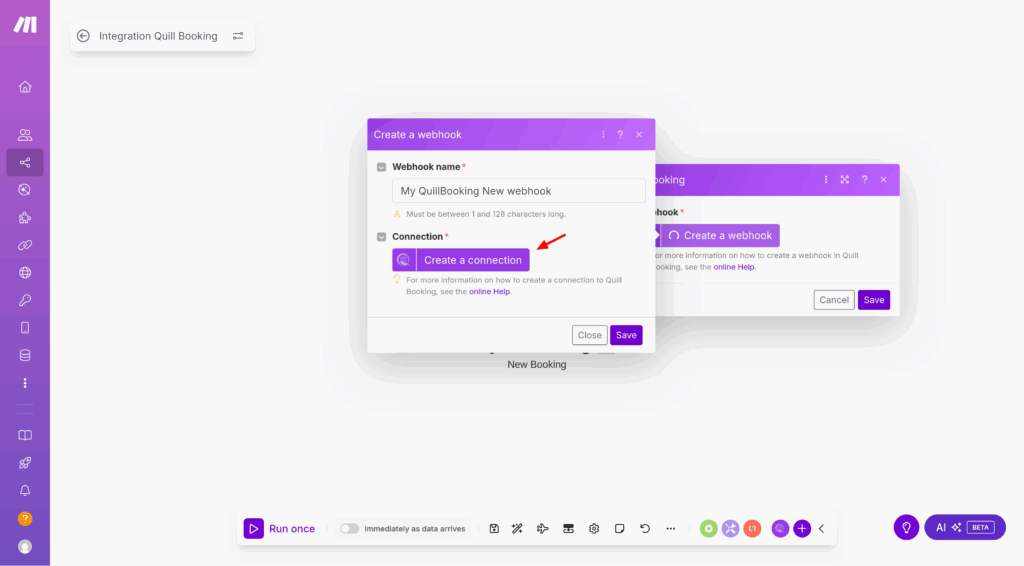
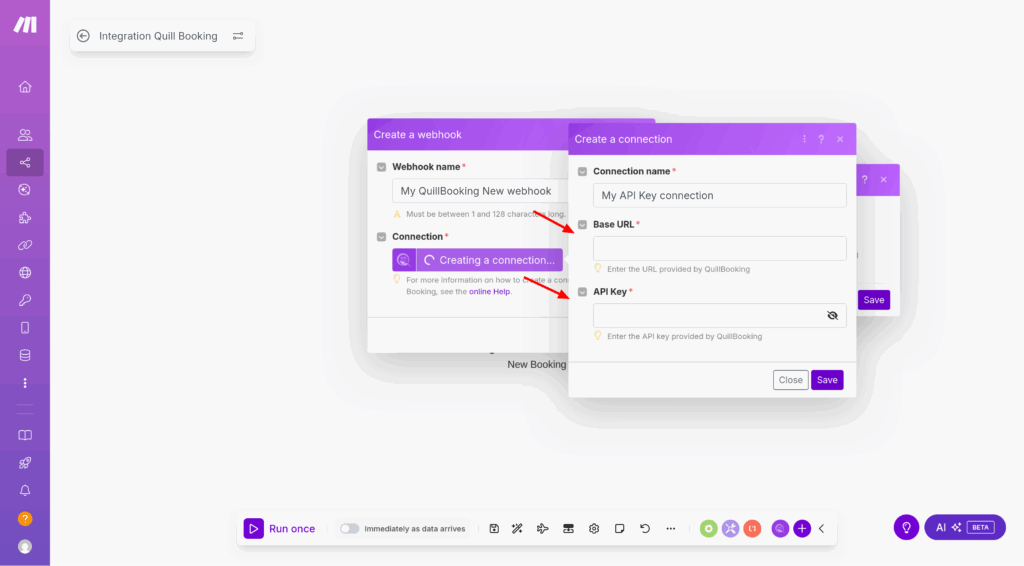
- Next, Create a connection
- Paste the Base URL and API Key into the fields provided, then click Save.
- From the Event dropdown, select the booking event you want to listen for (e.g., Booking Created, Booking Cancelled, or Booking Rescheduled).
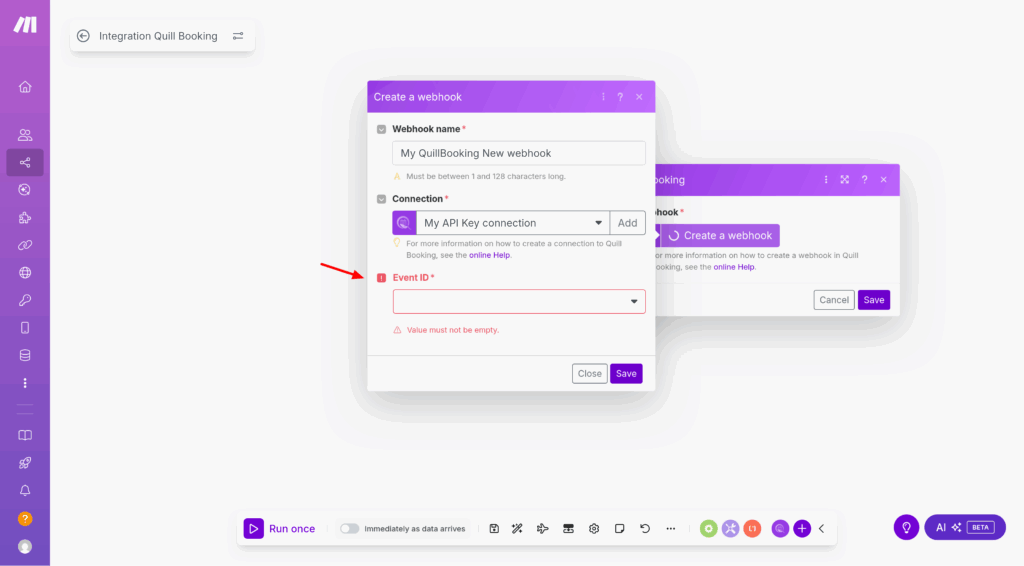
- Then save
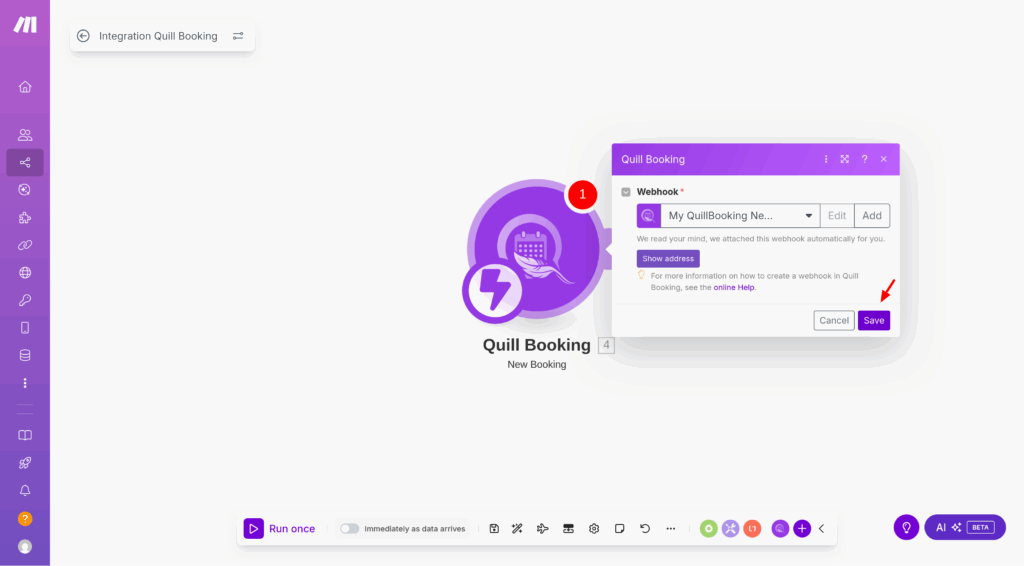
- Once the webhook is added, click Run once in Make, then perform a test booking in QuillBooking. This will send sample data to Make so you can verify the connection.
Conclusion
With the QuillBooking Make Integration, automating your workflows is simple and powerful. By connecting your booking system to thousands of apps, you eliminate repetitive tasks, reduce errors, and ensure every action happens automatically—from sending emails to updating spreadsheets or notifying your team.
This integration streamlines your booking process, improves efficiency, and helps you deliver a faster, more professional experience for your clients. Save time, stay organized, and let Make handle the heavy lifting—so you can focus on what truly matters.