Quick answer
There are two ways to add an intake form to bookings: add booking questions to the event itself (best for two to five short questions), or build a full form that ends with a booking step. With Quill Forms, you add the Quill Booking block to a conversational form, map the name and email answers, and clients answer your questions and pick a time in one flow.
A good intake form helps you prepare and filters out poor-fit bookings. Too long a form, though, and people leave before booking. The trick is to put the right questions in the right place.
Disclosure: We make Quill Booking, so we use it for the screenshots and examples. The advice works with most booking plugins and scheduling tools.
Option 1: Booking questions (short intake)
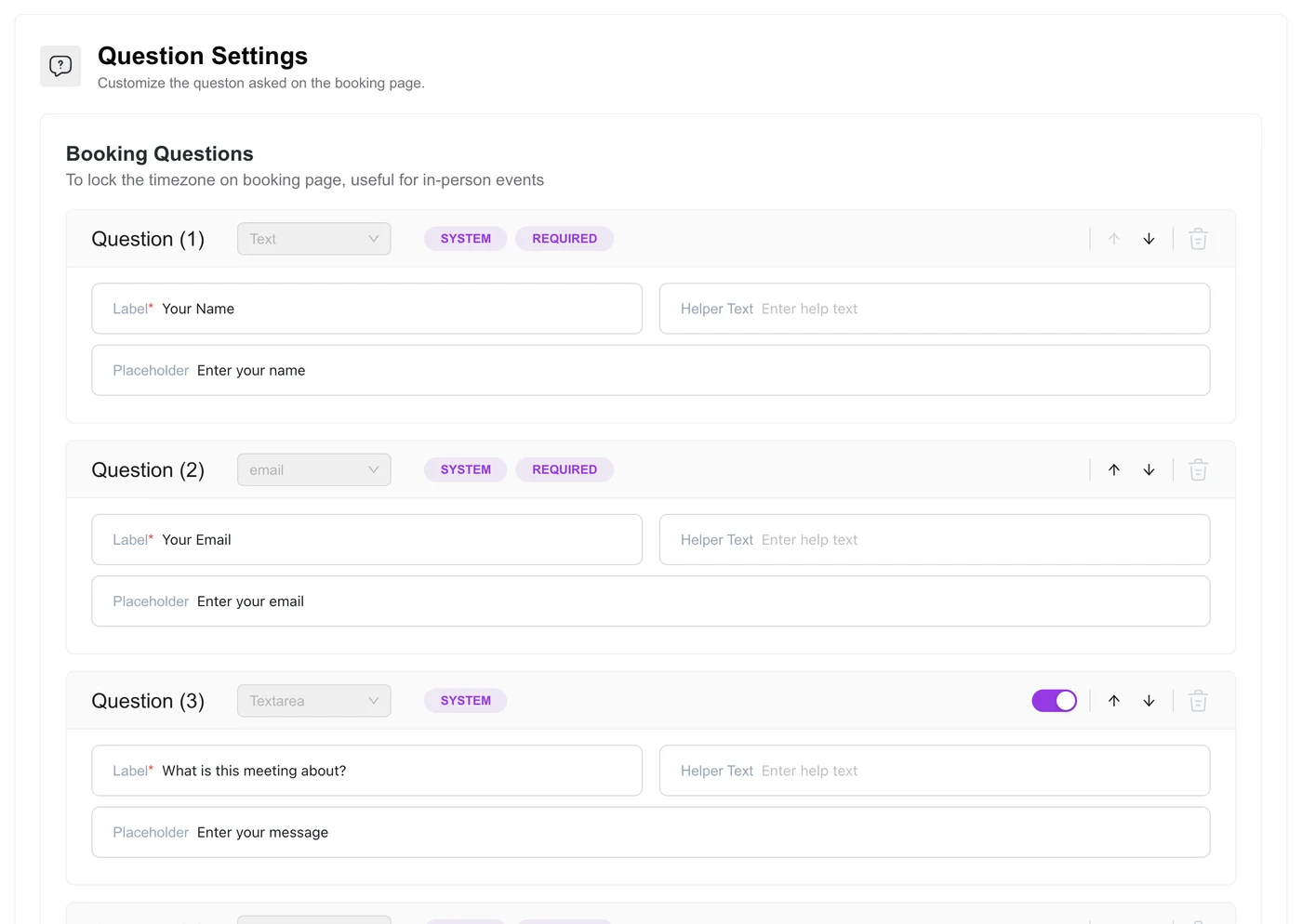
For most appointments, a few questions on the booking form are enough: what the meeting is about, a phone number for reminders, maybe a website link. In Quill Booking, edit the event and use the Questions tab to add text, dropdown, phone and other fields, and mark which are required.
Option 2: A full form with a booking step
For applications, qualification or detailed intake, use Quill Forms, a conversational form builder that shows one question at a time. Its Quill Booking block puts your live availability inside the form:
- Install Quill Forms and Quill Booking, and create the event clients will book.
- Create a form with your intake questions, using conditional logic to skip irrelevant ones.
- Add the Quill Booking block where the booking should happen, usually near the end.
- Choose the event, and map the name and email fields to earlier answers so clients do not type them twice.
- Customise the button text, then publish the form and test the full flow.
Because the questions come first, you can use logic to show the booking step only to qualified leads, and send others to a resource page instead.
Which questions to ask
| Use | Good questions |
|---|---|
| Consultants and coaches | What would you like help with? What have you tried so far? |
| Agencies | Website URL, budget range, timeline |
| Clinics | New or returning patient? (keep clinical details for a secure channel) |
| Salons | Service, preferred stylist, any allergies we should know about |
| Sales demos | Company size, current tool, main goal |
Keep it short
- Ask only what changes how you prepare.
- Collect the rest after the booking is confirmed.
- Use dropdowns instead of free text where you can.
- Make no more than three or four questions required.
Frequently asked questions
How do I add custom questions to a booking form?
In Quill Booking, edit the event and open the Questions tab. Name and email are always included; add your own fields below.
Can I put a booking calendar inside a form?
Yes. Quill Forms has a Quill Booking block that shows live availability inside a conversational form.
Can I only show the calendar to qualified leads?
Yes, with a form builder that supports conditional logic, such as Quill Forms. Ask qualifying questions first and route people based on their answers.
How many intake questions should I ask?
For a first appointment, two to five. Every extra required field lowers the number of people who finish booking.
Related guides
- How to add a booking calendar to WordPress
- How to embed a booking calendar in Elementor or Gutenberg
- Booking plugin vs booking form
Booking and intake that work togetherQuill Booking pairs with Quill Forms for intake forms that end in a booking.
See pricing